YouTube Thumbnail Tips: 60 Quick Wins for 2026 ⭐
Custom thumbnails outperform auto-generated ones by up to 30%. This mega-guide delivers 60 actionable tips organized by category—each one a quick win you can implement immediately.
Bookmark this. Reference it. Watch your CTR climb.
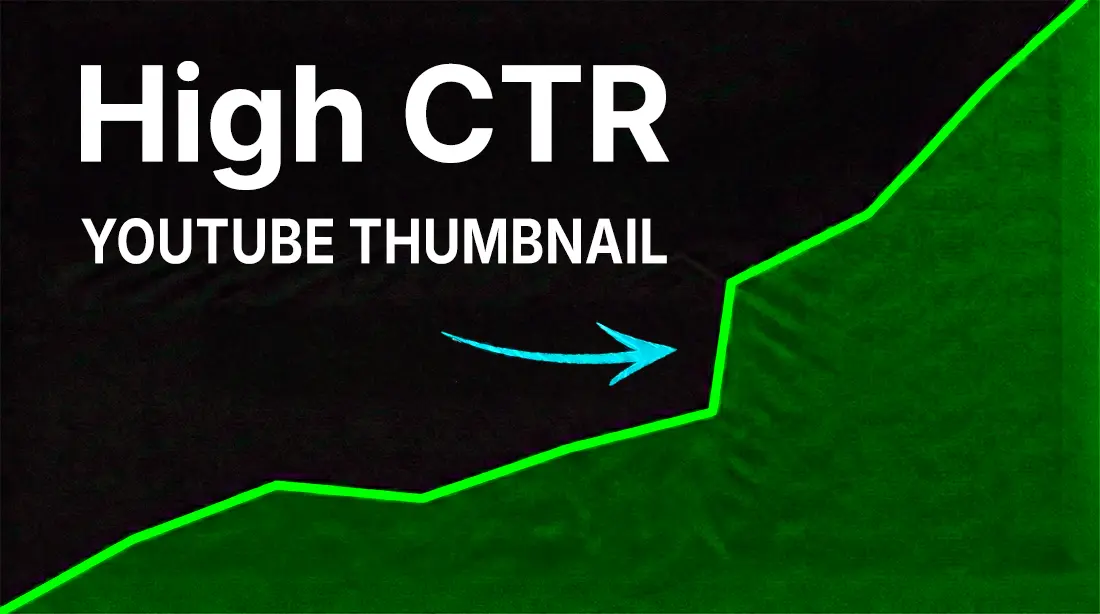
 Caption: Your complete 2026 thumbnail optimization playbook
🎨 Design Tips (1-20)
High-contrast, simple designs dominate 2026 trends. Focus on faces and bold elements for mobile-first viewers.
Tip 1: Use Close-Up Faces with Eye Contact
Eye-tracking studies show 34% higher engagement when subjects make direct eye contact with the camera.
Example: Creator’s shocked expression filling 60% of frame, eyes looking directly at viewer.
Tip 2: Apply High Contrast
Darken backgrounds, brighten subjects and text for instant visual pop.
Example:

Tip 3: Keep It Simple
One focal point, no clutter. Test at small sizes—if it’s confusing at 120px, simplify.
Example: Single product centered with minimal arrow pointing to it.
Tip 4: Bold Sans-Serif Fonts Only
3-5 words maximum, 100pt+ size minimum.
Best Fonts: Impact, Bebas Neue, Montserrat Black, Obelix Pro
Example: “HUGE MISTAKE” in white Impact font with black stroke.
Tip 5: Apply Rule of Thirds
Place key elements off-center for dynamic, professional appeal.
┌───┬───┬───┐
│   │ ● │   │  ← Face here
├───┼───┼───┤
│ ● │   │ ● │  ← Text or secondary elements
├───┼───┼───┤
│   │   │   │
└───┴───┴───┘
Tip 6: Use Arrows and Pointers
Direct viewer’s eyes to your hook or key element.
Example: Hand pointing at “BEFORE” side of split image.
Tip 7: Vibrant Colors for Emotion
- Red/Orange: Urgency, excitement, drama
- Blue: Trust, authority, calm
- Yellow: Attention, energy, positivity
- Green: Growth, success, money
Tip 8: Embrace Negative Space
40% empty area creates a clean, professional look that lets key elements breathe.
Tip 9: Exaggerate Emotions
Wide eyes, open mouths, raised eyebrows boost curiosity. Natural expressions don’t translate on small screens.
Tip 10: Split-Screen Before/After
Perfect for transformations, comparisons, and reveals.
Example: Left side “UGLY ROOM” → Right side “GLOW UP”

Tips 11-20: Quick Fire Design Wins
| # | Tip | Quick Description |
|---|---|---|
| 11 | Subtle Gradients | Layer gradients behind subjects for depth |
| 12 | Tight Crops | Crop close on action, not wide landscape |
| 13 | Props for Scale | Use objects to show size (hand, coin, ruler) |
| 14 | Matte Overlays | Semi-transparent overlays unify chaotic images |
| 15 | Emojis (Sparingly) | One emoji max, strategically placed |
| 16 | Duotone Filters | Two-color treatments for modern aesthetic |
| 17 | Motion Blur Hints | Suggest movement with directional blur |
| 18 | Symmetry Breaks | Intentional asymmetry creates visual interest |
| 19 | Glow Effects on Text | Outer glow for extra pop (match brand color) |
| 20 | Frame-Within-Frame | Border or phone mockup for context |
⚙️ Technical Tips (21-35)
Get the specs right. 1280×720px, 16:9, under 2MB—these are non-negotiable.
Tip 21: Exact Dimensions
1280×720 pixels (minimum width 640px) Aspect Ratio: 16:9
Tip 22: Correct File Formats
Accepted: JPG, PNG, GIF, BMP Best Choice: JPG for photos, PNG for graphics with text
❌ No animated GIFs (YouTube uses static frame)
Tip 23: Compress Under 2MB
Use tools like TinyPNG or Photoshop’s “Export for Web” to compress without visible quality loss.
Tip 24: Web-Optimized Resolution
72-150 DPI for web optimization. Higher DPI wastes file size with no visual benefit.
Tip 25: Test Mobile Crop
Center key elements—YouTube may crop edges on different devices.

Tip 26: HD Source Frames
Start with high-resolution images. Upscaling pixelated sources never works well, especially on TV displays.
Tip 27: RGB Color Mode
RGB only—never CMYK. CMYK is for print and will display incorrectly.
Tip 28: Anti-Alias Text Properly
Enable anti-aliasing on text layers for smooth, professional edges.
Tip 29: Batch Resize with Actions
Create Photoshop actions for consistent sizing across all thumbnails.
Tip 30: Preview Before Upload
Use YouTube’s thumbnail preview or our YouTube Thumbnail Previewer to see how it looks in context.
Tips 31-35: Technical Quick Wins
| # | Tip | Quick Description |
|---|---|---|
| 31 | Export 100% Quality | Initial save at max quality, compress after |
| 32 | Vertical for Shorts | 9:16 ratio (1080×1920) for Shorts thumbnails |
| 33 | Alt-Text for Accessibility | Describe thumbnail in upload settings |
| 34 | Watermark Lightly | If used, 10% opacity maximum in corner |
| 35 | Backup PSD Originals | Never work destructively, keep source files |
🏷️ Branding Tips (36-42)
Consistent branding builds 2× recognition over time. Use 2-3 colors, same fonts, unified templates.
Tip 36: Signature Color Palette
Choose 2-3 brand colors and apply to every thumbnail.
Example: MrBeast uses red, blue, and yellow consistently across all thumbnails.
Tip 37: Subtle Logo Placement
Logo in corner at 10% opacity or smaller—don’t let it compete with content.
Tip 38: Uniform Font Families
1-2 font families maximum across all thumbnails. Consistency builds recognition.
Tip 39: Layout Templates
Create reusable templates with consistent:
- Border style
- Text position
- Subject placement
- Effect treatments
Tip 40: Channel Icon Integration
Small channel avatar can reinforce branding without cluttering.
Tip 41: Match End-Screen Style
Thumbnails should feel connected to your video outros and channel art.
Tip 42: Evolve Slowly
Test brand tweaks via A/B testing. Don’t make sudden dramatic changes.

🧠 Psychology Tips (43-50)
Leverage how the brain works. Faces capture 42% of scan time, contrast boosts CTR by 30%.
Tip 43: Faces Over Objects
Biology drives behavior. Human faces trigger automatic attention and emotional response.
Tip 44: Emotional Extremes
Joy and shock outperform neutral by 40%+. Middle-ground emotions get middle-ground results.
Tip 45: Numbers Tease Value
Specific numbers create concrete expectations.
Works: “5 Secrets” | “7 Steps” | “$10,457” Weak: “Some tips” | “A few tricks” | “Money”
Tip 46: Questions Spark Curiosity
Unanswered questions create mental itch to click.
Examples: “Worth It?” | “Did It Work?” | “What Happened?”
Tip 47: Urgency Words
Trigger immediate action with time-sensitive language.
Power Words: “Now” | “2026 Update” | “Before It’s Gone” | “Today”
Tip 48: Social Proof
Numbers build credibility and FOMO.
Examples: “1M Views Already” | “5000+ Results” | “#1 Rated”
Tip 49: Promise-Content Match
Avoid overpromising—match thumbnail to actual content for strong retention.
⚠️ Clickbait → High CTR but terrible retention → Algorithm penalty
Tip 50: FOMO Triggers
Fear of missing out drives clicks.
Examples: “You’re Missing This” | “Everyone Knows But You” | “Don’t Make This Mistake”

🧪 Testing Tips (51-55)
A/B testing can double your CTR. Stop guessing, start measuring.
Tip 51: Use YouTube Test & Compare
Built-in tool auto-rotates up to 3 thumbnail variants.
Path: YouTube Studio → Content → Video → Three Dots → Test & Compare
Tip 52: Track CTR and Impressions
Wait for 1,000+ impressions before drawing conclusions. Small samples mislead.
Tip 53: Use Third-Party Tools
TubeBuddy and ThumbnailTest allow more variants and deeper analytics than YouTube’s native tool.
Tip 54: Test One Variable at a Time
Right: Test red vs. blue background Wrong: Test red background + new text + different face expression
Tip 55: Iterate Winners on Old Videos
Apply winning thumbnail styles to underperforming older videos. Easy wins.
🎯 Niche-Specific Tips (56-60)
Tailor to your audience. What works in gaming won’t work in finance.
Tip 56: Gaming Thumbnails
Key Elements:
- Epic screenshot or gameplay moment
- “INSANE!” reaction expression
- Action-heavy composition
- Neon glows and intense colors
Example:

Tip 57: Tutorial Thumbnails
Key Elements:
- Step preview (Step 1 shown)
- Tool or software close-up
- Clean, educational aesthetic
- Problem-solution framing
Example: Hands on keyboard, “EASY FIX” text, software interface visible.
Tip 58: Vlog Thumbnails
Key Elements:
- Location reveal (you small in epic frame)
- Authentic, casual expressions
- Travel/adventure aesthetics
- Day/episode numbering
Example: Selfie at skyline, “DAY 1 ADVENTURE” text overlay.
Tip 59: Cooking Thumbnails
Key Elements:
- Dripping, appetizing food close-up
- Steam effects for freshness
- Color-rich ingredients
- Simple recipe promise
Example:

Tip 60: Finance Thumbnails
Key Elements:
- Charts and graphs showing growth
- Money imagery (tasteful, not spammy)
- Shocked or excited expression
- Specific numbers and ROI
Example: Graph spike, money rain overlay, “RICH FAST?” question.
📋 Downloadable Checklist
Save this quick-reference checklist for every thumbnail you create:
Pre-Design Checklist
- Determined primary hook/message
- Identified emotional angle
- Checked competitor thumbnails in niche
Design Checklist
- Face with eye contact (if applicable)
- High contrast applied
- 3-5 words text maximum
- Bold sans-serif font
- Rule of thirds composition
- Single focal point
- Brand colors applied
- Curiosity gap created
Technical Checklist
- 1280×720 pixels
- 16:9 aspect ratio
- Under 2MB file size
- JPG or PNG format
- RGB color mode
- Anti-aliased text
Pre-Upload Checklist
- Tested at mobile size (120×67px)
- Previewed in YouTube context
- Checked bottom-right corner is clear
- Backed up PSD/source file
- A/B test variant ready (optional)
Summary Table
| Category | Tips | Key Focus |
|---|---|---|
| Design (1-20) | Visual impact | Faces, contrast, simplicity |
| Technical (21-35) | Specs & quality | 1280×720, <2MB, proper formats |
| Branding (36-42) | Consistency | Colors, fonts, templates |
| Psychology (43-50) | Click triggers | Emotion, curiosity, FOMO |
| Testing (51-55) | Optimization | A/B testing, data-driven |
| Niche (56-60) | Audience fit | Style per content type |
Your Next Steps
- ✅ Bookmark this page for reference
- ✅ Apply 5 tips to your next thumbnail
- ✅ Test variants using YouTube’s built-in tool
- ✅ Track results and iterate
Remember: You don’t need to implement all 60 at once. Start with the basics (Tips 1-10), nail those, then layer in advanced techniques.
Need professional thumbnail design? Contact our team on WhatsApp for thumbnails that apply all 60 principles.