You uploaded a video. Hours later, YouTube sends a notification: “Your video has a Content ID claim.” Your monetization is gone, and you have no idea why or what to do next.
This guide explains exactly what Content ID is, what a claim means for your video, and the precise steps to dispute it - or prevent it from happening in the first place.
Quick answer: A Content ID claim is not a copyright strike. It does not hurt your channel. It means a rightsholder has claimed the ad revenue on your video - and you can dispute it if you have a valid reason.
What Is YouTube Content ID?
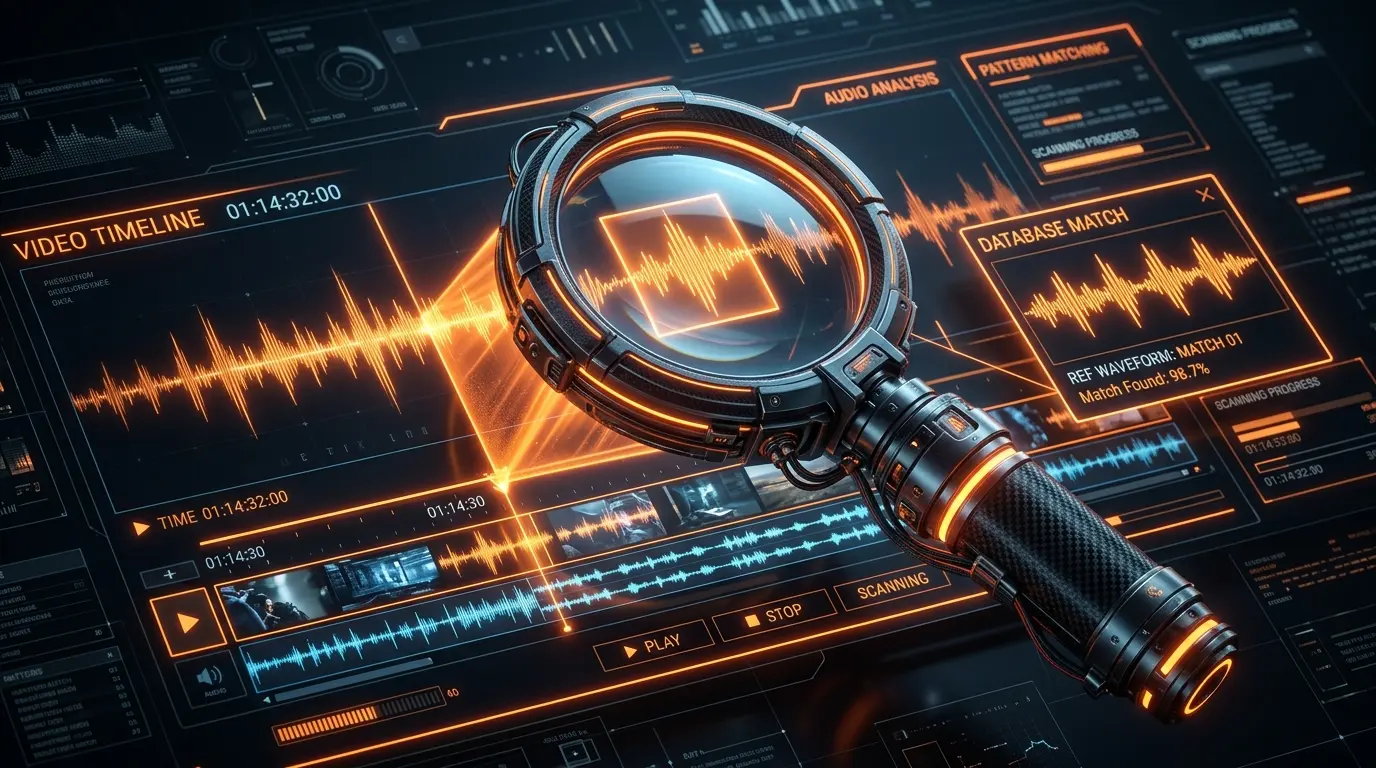
Content ID is a fingerprinting system that enables copyright owners to automatically identify, manage, and protect their intellectual property across YouTube. By continuously scanning all uploaded videos against a database of submitted reference files, it algorithmically applies specific policies to track, monetize, or block unauthorized use of copyrighted material.
The system operates both continuously and retroactively. It does not only analyze content at the moment of upload - it also performs “legacy scans” on previously published videos whenever new reference material is added to the database by a rightsholder. This means a video you published years ago can receive a claim today if a new rightsholder registers matching content.
For copyright owners, the system transforms unauthorized uploads into passive revenue streams. For creators, it is the most common copyright enforcement mechanism they will ever encounter on the platform.
How Does YouTube Content ID Work?
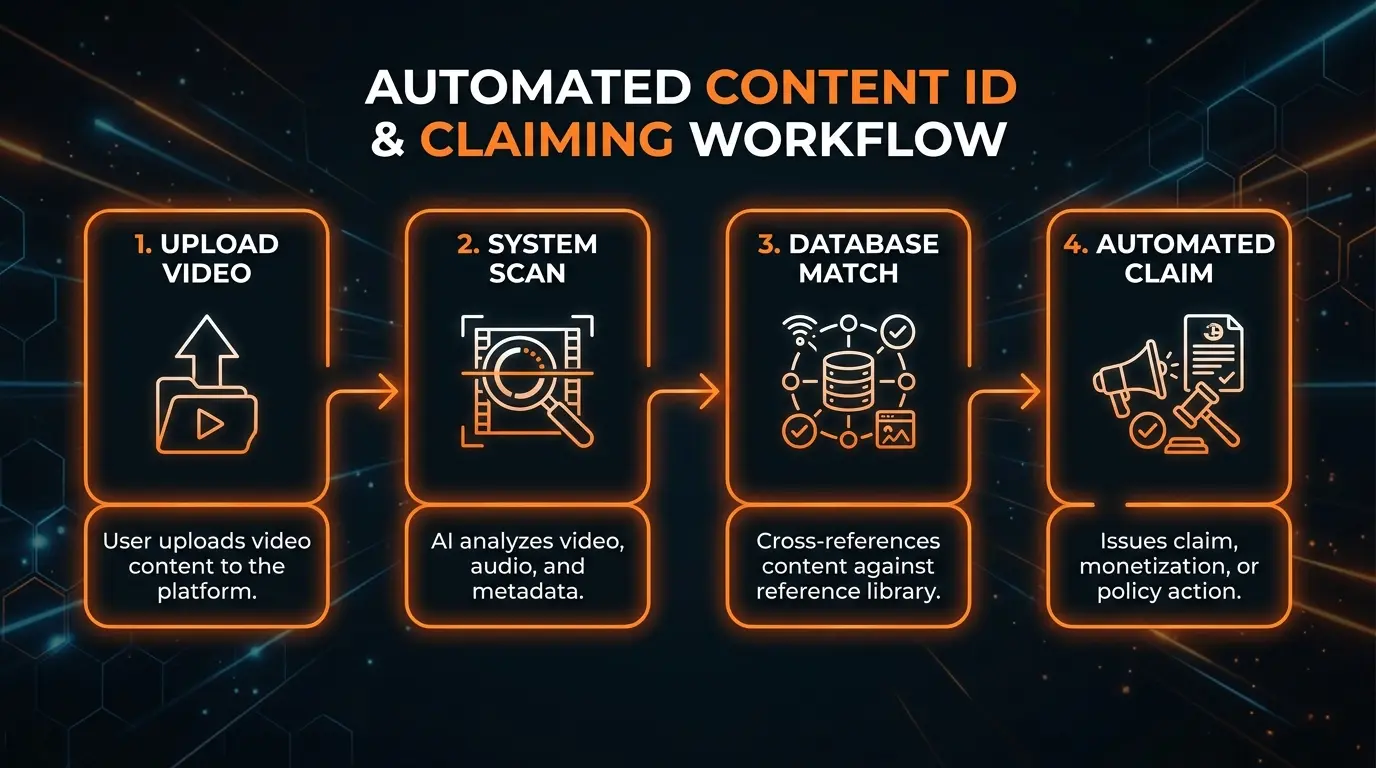
The technical pipeline moves through four sequential steps: Upload, Scan, Match, and Claim.
Step 1 - Upload
When a video is uploaded, the platform extracts the raw audiovisual data and normalizes it for algorithmic analysis. Simultaneously, rightsholders deliver their reference files through the Content Manager using XML feeds, CSV uploaders, or direct API integrations. Each reference file includes metadata identifiers such as ISRC codes for audio recordings or custom asset IDs for web video content.
Step 2 - Scan
The fingerprinting algorithm deconstructs the uploaded video into distinct audio and visual components, which are hashed and checked against the database of registered reference files. The scanner is engineered to detect matches even when a video has been modified through pitch shifts, speed adjustments, cropping, or mirroring. A pre-publish “Checks” phase also occurs within the upload window to alert the uploader of potential conflicts before the video goes public.
Step 3 - Match
When the algorithm detects significant overlap between an uploaded video and a reference file, it generates a match. If multiple rightsholders claim different components of the same video - for example, one entity owning the visual rights and another owning the audio track - the system cross-references ownership rules and applies all relevant claims simultaneously.
Step 4 - Claim
Once a match is confirmed, the system automatically generates a claim on behalf of the rightsholder. The resulting action - block, monetize, or track - is dictated entirely by the match policy the rightsholder set in advance, with zero human intervention required.
The four asset types managed by Content ID:
| Asset Type | Primary Function | Revenue Mechanism |
|---|---|---|
| Sound Recording | The actual audio recording of a musical performance | Audio-only claims on user content |
| Composition Share | The underlying musical work (notes and lyrics) | Publishing rights linked to the recording |
| Music Video | The official audiovisual recording of a track | Revenue shared between video and composition assets |
| Web Video | Non-musical content, creator uploads, short-form media | Enables “In-product (Shorts)” claims and attribution |
Content ID Claim vs Copyright Strike - Key Differences
This distinction is the most critical and most misunderstood concept in YouTube copyright. Both address unauthorized use of copyrighted material, but their origins, mechanisms, and consequences are entirely different.
A Content ID claim is an automated, platform-specific mechanism governed by agreements between the platform and rightsholders. It functions primarily as a monetization tool.
A copyright strike is a formal legal procedure under the Digital Millennium Copyright Act (DMCA) or equivalent international copyright statutes.
| CLAIM | STRIKE | |
|---|---|---|
| Channel hit? | No | Yes |
| Video down? | Sometimes (block policy) | Yes - always |
| Monetization? | Lost on that video | Lost on that video |
| Expires? | No | 90 days |
| Dispute? | Yes - within platform | Appeal only - legal process |
| Three = ban? | No | Yes - channel terminated |
When a claim is applied, your channel’s overall standing, algorithmic ranking, and account features are completely unaffected. The dispute process stays within the platform’s internal interface without legal jeopardy.
A strike is a punitive legal action. Three strikes within 90 days results in permanent, irreversible channel termination and deletion of all associated media.
Claims are a business transaction about ad revenue. Strikes are a legal warning with catastrophic consequences.
What Happens to Your Video After a Content ID Claim?
The outcome is not decided by the platform - it is dictated entirely by the predefined “match policy” set by the rightsholder when they registered their content. Rightsholders choose from three primary policies:
🔴 BLOCK
The most restrictive policy. The video is hidden from public viewing. The geographic scope is customizable - rightsholders can implement a global block or enforce region-specific blocks based on licensing agreements. A television network might block content in domestic markets where they hold exclusive syndication rights while leaving it viewable internationally to build brand awareness.
Live streams are treated more aggressively under block policies: if a live broadcast is flagged in real time, it triggers immediate warnings and eventual takedown.
🟡 MONETIZE
Instead of restricting the video, the rightsholder seizes the advertising space. Pre-roll, mid-roll, and display ads are served to viewers, and the revenue is redirected from the uploader to the asset owner. In specific scenarios involving transformative content - such as registered cover song performances - the platform facilitates revenue-sharing between the creator and the copyright owner.
This is the most common policy applied by music labels and distributors.
🟢 TRACK
The video remains fully accessible and its monetization is not seized. Instead, the rightsholder is granted backend access to the video’s viewership analytics and demographic data. Large media companies frequently use this policy to conduct passive market research, allowing user-generated content to serve as viral marketing while monitoring geographic popularity and audience engagement without restricting reach.
How to Check If Your Video Has a Content ID Claim
Modern YouTube includes a pre-publish “Checks” tool that scans for copyright conflicts before a video goes public. This allows creators to address matches proactively - by trimming the flagged segment, swapping music via the Audio Library, or accepting the financial consequences - before the video launches.
However, the Checks tool does not provide an absolute legal shield. Manual claims can still be applied post-publication.
To audit an existing video for active claims:
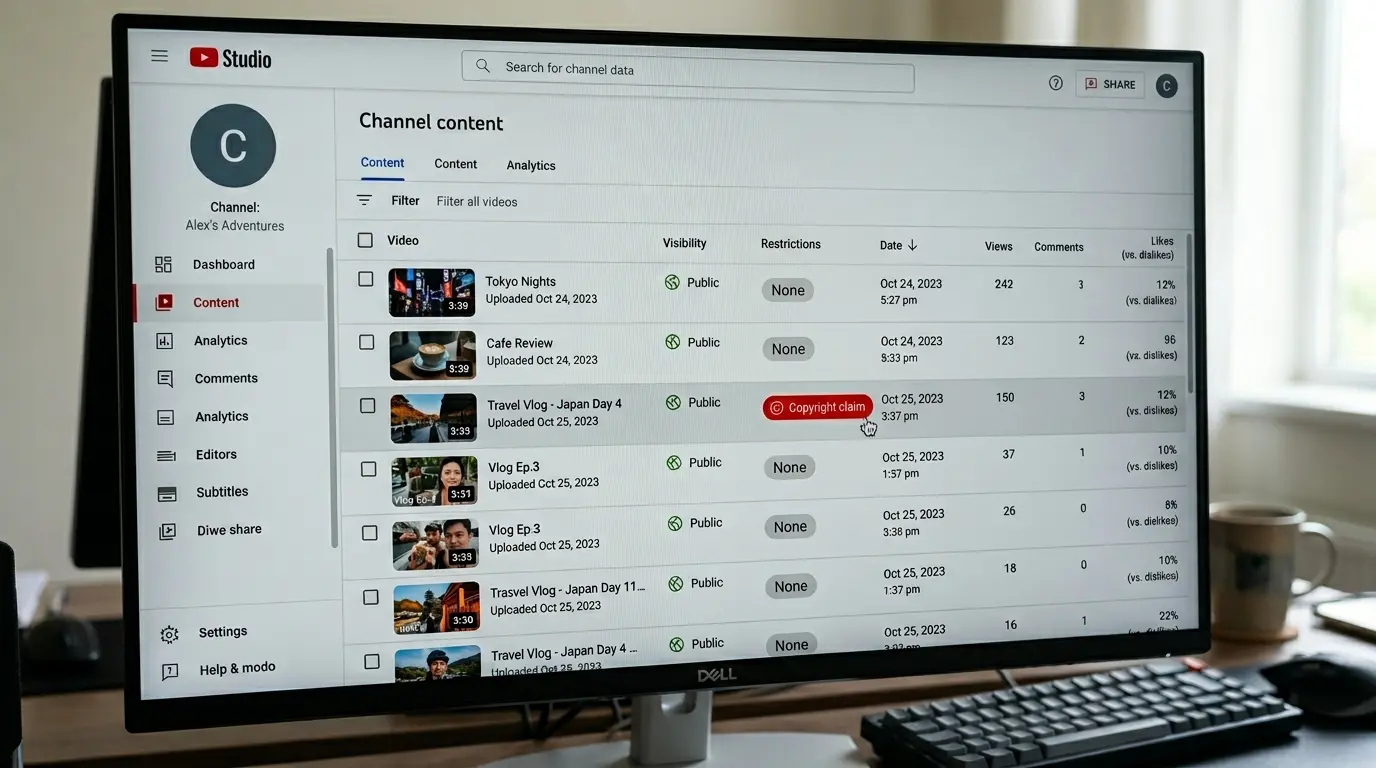
- Navigate to YouTube Studio (desktop browser or mobile app)
- Select Content from the left-hand navigation menu
- Locate the specific video - use the Copyright filter to isolate affected videos instantly
- Examine the Restrictions column. A definitive match displays “Copyright”
- Click See Details (or “Review issues” on mobile) to view the specific timecodes of the match, the identity of the claimant, and the policy applied (Block, Monetize, or Track)
To cross-reference a claim with your own records, you will need to find your video ID to accurately map the platform’s algorithmic flags to your internal database entries.
How to Dispute a YouTube Content ID Claim (Step by Step)
The fingerprinting algorithm is highly accurate but not infallible. It may flag content that legally falls under fair use, public domain, or content for which you already hold a valid license. In these cases, the platform provides a structured dispute resolution process.
Step 1: Go to YouTube Studio Access the backend management interface via desktop browser or the official mobile app.
Step 2: Click Content and find the video Navigate to the video repository. Use the copyright filter to isolate the restricted video from your catalog.
Step 3: Click the claim and See Details Expand the restriction notice. Confirm the exact timecodes involved and the identity of the claimant before proceeding.
Step 4: Choose your dispute reason Select “Dispute” from the actionable menu. Valid legal reasons include:
- You hold an active commercial license for the content
- The material is verified public domain
- Your use qualifies as fair use (transformative, critical, or educational)
Step 5: Submit and wait up to 30 days Once submitted, the claim is temporarily suspended. The claiming rightsholder has 30 days to respond. They can release the claim, reinstate it, or escalate to a formal DMCA removal request.
Warning: Never dispute a claim if the material genuinely belongs to someone else or if you lack a documented legal defense. Fraudulent disputes can lead to immediate channel termination.
Financial Escrow During the Dispute Process
When you file a dispute, ads continue running and the revenue is held in escrow pending resolution. The timing of your dispute determines how much revenue is protected:
- Dispute within 5 days: All revenue from the date of publication is held in escrow
- Dispute after 5 days: Revenue before the dispute date is released to the claimant. Escrow begins from the date you file
If the dispute resolves in your favor, the escrowed funds are distributed to you. This retroactive revenue typically appears in your analytics dashboard between the 10th and 20th of the following month.
Reinstated Claims and Escalation Risk
If the claimant rejects your dispute, the claim is reinstated. You can then file an “Appeal,” but this carries significant legal risk. If the claimant rejects the appeal, they can submit a standard copyright removal request - resulting in immediate video deletion and a formal copyright strike applied to your channel.
Never appeal based on frustration alone. All appeals must be grounded in documented, verifiable legal rights.
How to Avoid Content ID Claims Before Uploading
Prevention is far more efficient than dispute resolution. Implement these six checks before every upload:
✓ Use YouTube Audio Library Music sourced directly from this library is pre-cleared for global, monetized use and will never trigger an automated claim.
✓ License your music (proof required) If using commercial music, acquire a formal synchronization license and keep PDF copies accessible. These documents are your evidence if a claim is erroneously triggered.
✓ Use royalty-free with documentation “Royalty-free” does not mean copyright-free. When purchasing from vendors like Epidemic Sound or Envato Elements, download the license certificate explicitly. Many include clearing codes that bypass the fingerprinting system automatically.
✓ Original composition only Ensure you own both the composition rights (notes and lyrics) and the master recording rights. Unauthorized backing tracks or beat leases will still trigger a match against the underlying Composition Share registered by the original publisher.
✓ No TV, movie, or sports clips Even brief insertions of broadcast media are practically guaranteed to trigger Block or Monetize policies. Sports broadcasts are tracked by team names and broadcast dates. Fair use arguments are legally viable in court but still trigger system matches that freeze revenue during arbitration.
✓ Check music source before editing Verify copyright status before committing to the edit. Pitch shifts, speed changes, mirroring, and frame-rate manipulation are now largely obsolete against modern algorithm updates and should never be relied upon. To ensure all tracking parameters are properly managed before bulk uploads, use your channel ID to verify asset ownership across your catalog.
Who Can Register Content With YouTube Content ID?
Access to the Content Manager is highly restricted. The system is engineered exclusively for large-scale corporate rightsholders - global record labels, major movie studios, and large syndication networks - who control exclusive rights to substantial volumes of original material that is frequently uploaded without authorization.
Strict eligibility requirements:
To qualify, an entity must prove they control exclusive rights to a continuous body of original material. The platform strictly prohibits registration of:
- Mashups, remixes, or compilations
- Video gameplay footage or software visuals
- Public domain content
- Music licensed on a non-exclusive basis
- Unlicensed recordings of live events or public speeches
The role of third-party distributors:
Because the technical and legal barriers are extremely high, independent musicians and individual creators cannot access the system directly. Instead, they route their intellectual property through certified third-party distributors - companies like DistroKid, TuneCore, RouteNote, and CD Baby - who possess the required enterprise access, format the required ISRC codes and XML metadata, and deliver assets into the database on the artist’s behalf in exchange for a fractional percentage of resulting monetization.
For creators who need to protect original content from piracy without needing full Content ID access, the platform offers the Copyright Match Tool, which automatically scans for direct re-uploads of your existing videos and allows you to request DMCA takedowns manually.
Before submitting any rights management request, it is good practice to clean your video URL to ensure your metadata is accurate and free of tracking parameters that could interfere with the verification process.
Frequently Asked Questions
Can I check for Content ID claims before uploading? Yes. The platform’s standard upload flow includes an automated “Checks” step that scans the video for copyright conflicts and ad-suitability restrictions before it is published. This allows you to trim flagged segments, swap music, or accept limitations before going live. Note that this is not an absolute legal shield - manual claims can still be applied post-publication.
Will a Content ID claim hurt my channel? No. An automated Content ID claim is strictly a financial and tracking mechanism. It does not affect channel health, algorithmic discovery, search ranking, or account standing. It only allows the copyright owner to track, block, or redirect the monetization on that specific video.
How long does a Content ID dispute take? The claiming rightsholder has a maximum of 30 days to review your dispute and respond. If they fail to act within this window, the claim is automatically expired and released in your favor.
How do I find who claimed my YouTube video? Navigate to YouTube Studio, select the Content tab, and click the “Restrictions” column of the affected video. Select “See Details” to reveal the specific identity of the copyright owner, the exact timecodes of the match, and the policy applied.
Can I monetize my video while disputing a claim? Yes, if you dispute within 5 days of the claim being issued. Ads continue to run during the dispute and the generated revenue is held in escrow. If the dispute resolves in your favor, all escrowed funds are paid out to you.
What music is safe to use on YouTube without a claim? The safest option is music from the YouTube Audio Library - it is fully pre-cleared and never triggers claims. Additionally, music released under a Creative Commons Zero (CC0) license, or commercial tracks with proper documented synchronization licenses from reputable royalty-free providers, are safe from valid algorithmic claims.
Conclusion
A Content ID claim is not the end of your video. It is a monetization dispute - one that can be resolved, avoided, or worked around with the right preparation.
The most important distinctions to remember: claims do not hurt your channel, strikes do. Dispute early to protect escrowed revenue. Always document your licenses before you need them.
For the technical side of YouTube channel management, use the YouTube Video ID Extractor to identify and track your assets precisely, the YouTube Channel ID Finder for API-level channel management, and the YouTube URL Cleaner to strip tracking parameters before submitting content for rights verification.