You uploaded a YouTube Short. It got views. But without captions, Google cannot read a single word of it - and neither can the 85% of viewers watching with the sound off.
A YouTube Shorts caption extractor solves both problems in under 10 seconds. This guide covers exactly how to use one, what format to export, and why captions are the single fastest way to increase your Short’s reach in 2026.
Get captions now: Use the YouTube Shorts Caption Extractor to download the transcript or SRT file from any Short - free, no account needed.
What Is a YouTube Shorts Caption Extractor?
A YouTube Shorts caption extractor is a web tool that retrieves the embedded subtitle data from any public YouTube Short and converts it into a downloadable text format - timed transcript, plain text, or SRT file - without requiring a video upload or software installation.
When you upload a Short to YouTube, Google’s speech recognition automatically generates a caption track tied to the video’s audio. The extractor tool queries YouTube’s servers to retrieve this text data directly. If the Short has no native captions, modern tools use AI transcription as a fallback, processing the audio to generate accurate text on demand.
The output can be used to:
- Re-upload as an SRT file to YouTube Studio for SEO indexing
- Feed into AI tools (ChatGPT, Gemini) for content repurposing
- Import into video editors for burned-in subtitles
- Translate into other languages for international distribution
How to Extract Captions from YouTube Shorts (3 Steps)
These three steps work for any public Short, in any language, whether or not you own the video.
Step 1: Copy and clean the Short URL
Copy the link directly from the YouTube app or browser. If the URL contains a ?si= tracking parameter (common when using the Share button), paste it into the YouTube URL Cleaner first. This strips tracking variables and isolates the clean video ID, preventing parsing errors in the extractor.
Example: youtube.com/shorts/dQw4w9WgXcQ?si=ABC123 becomes youtube.com/shorts/dQw4w9WgXcQ
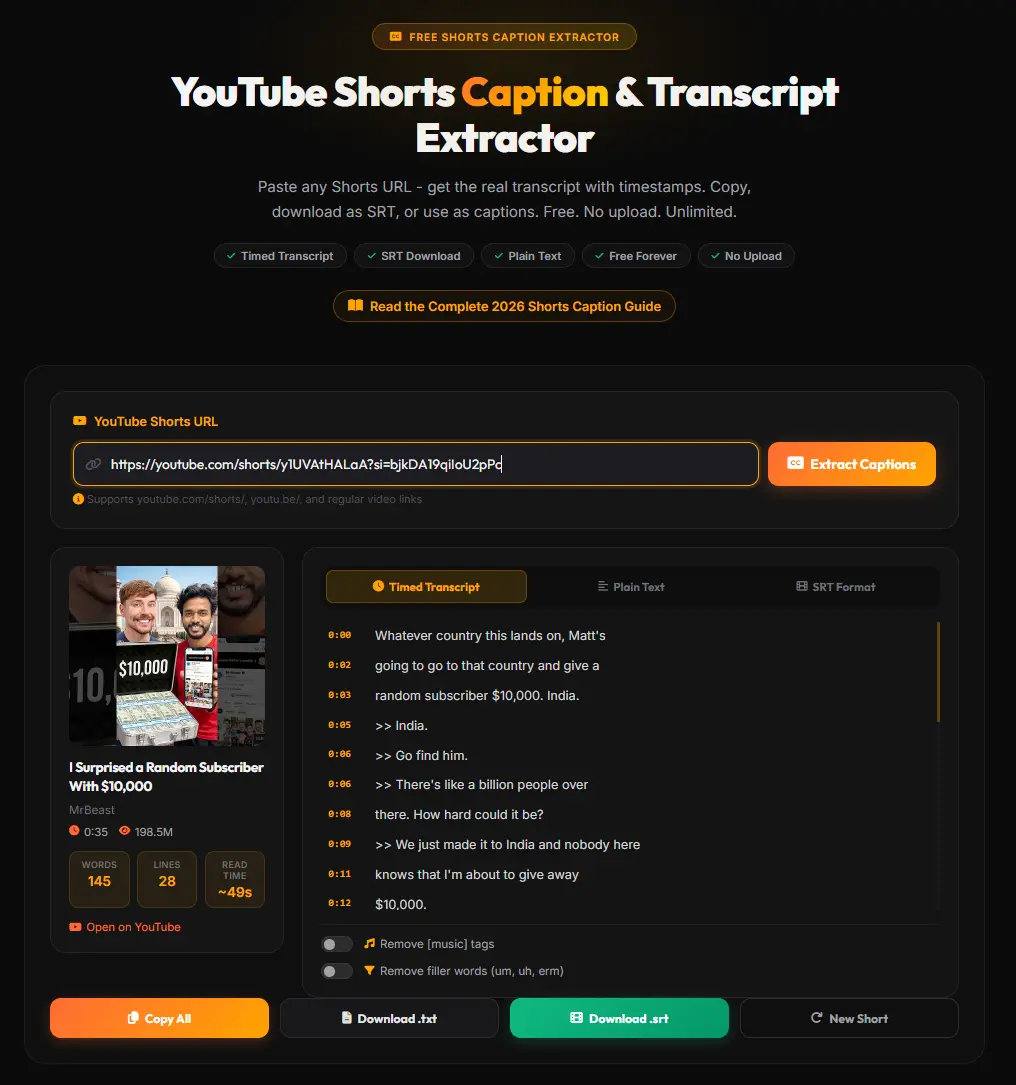
Step 2: Paste the URL into the extractor and process
Go to the YouTube Shorts Caption Extractor and paste the cleaned URL. The tool queries YouTube’s caption track API. If native captions exist, they are retrieved instantly. If the Short has no captions, AI transcription activates automatically, generating an accurate transcript from the audio.
The tool will display all available language tracks if the creator uploaded multilingual captions. Select the language you need.
Step 3: Choose your export format and download
Select the format that matches your intended use:
- SRT - for uploading to YouTube Studio or video editors
- Timed Transcript - for navigation, chapter marking, or research
- Plain Text - for AI tools, repurposing, or translation
Click copy or download. The process takes under 10 seconds for a standard Short.
Timed Transcript vs Plain Text vs SRT - What Is the Difference?
Choosing the wrong format wastes time. Here is a direct comparison:
| Format | Contains Timestamps | Machine-Readable | Best Use Case |
|---|---|---|---|
| SRT File | Yes (HH:MM:SS,MS) | Yes | Upload to YouTube Studio, Premiere Pro, CapCut |
| Timed Transcript | Yes (readable) | No | Research, navigation, chapter markers |
| Plain Text | No | N/A | AI tools, blog repurposing, translation |
SRT (SubRip Subtitle) is the industry standard for closed captions. Every subtitle block contains a sequence number, a start and end timecode down to the millisecond, and the dialogue. This format is required by YouTube Studio when uploading manual captions. It is also the format recognized by all major video editors.
Timed Transcript presents the same text in a human-friendly format with periodic time markers like [00:15]. This is useful for quickly locating a specific line of dialogue in a Short or generating chapter timestamps.
Plain Text strips everything out and returns only the words. This is the correct choice when feeding content to an AI model - timestamp numbers in SRT format can confuse LLMs and cause hallucinations in summarization tasks.
For SEO purposes, SRT is always the priority. When you upload an SRT file to YouTube Studio, Google indexes every word in the file - dramatically increasing the Short’s discoverability for long-tail search queries.
Why Your YouTube Shorts Need Captions in 2026
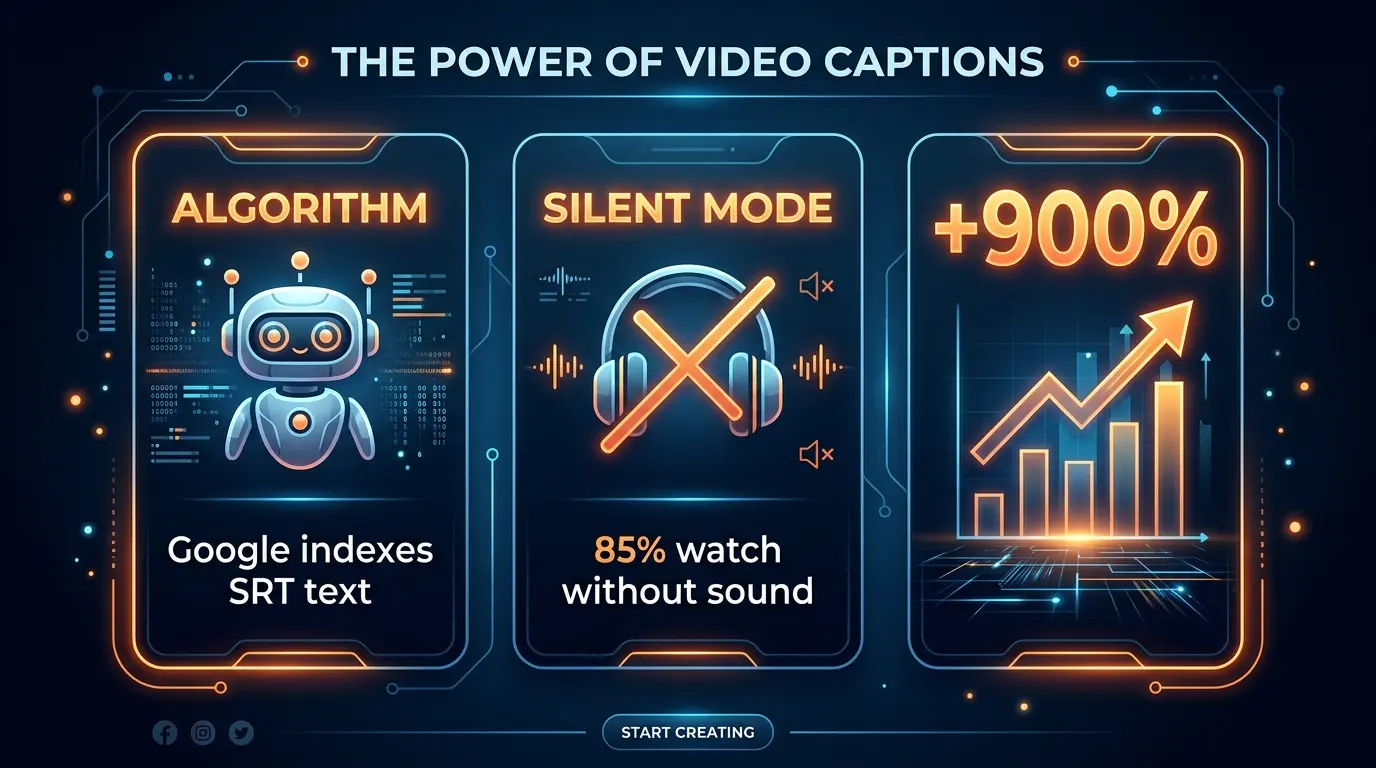
Three converging forces make captions non-optional for Shorts in 2026:
1. Algorithm indexing - Google cannot watch your video
YouTube’s recommendation and search algorithm cannot process visual content directly. It depends on metadata: title, description, tags, and - most importantly - the closed caption text. A Short with a properly uploaded SRT file gives Google a full, indexable text document to work with. This expands the video’s surface area across search queries far beyond what the title alone can capture.
Shorts with synchronized captions also show 12-15% higher completion rates than non-captioned equivalents. Completion rate is one of the primary inputs the Shorts algorithm uses to decide whether to push a video to wider audiences. Captions anchor viewer attention in the first 1-3 seconds - the most critical window for the algorithm’s initial quality assessment.
2. Silent viewing - 85% of mobile users watch without sound
The majority of YouTube Shorts are consumed in silence - on public transport, in offices, in bed. Without captions, these viewers receive zero information from your video. They swipe away immediately, collapsing your retention metrics and stalling algorithmic distribution.
Accessibility standards (WCAG Level AA) now require captions with at least 99% accuracy on prerecorded video content. YouTube is enforcing these standards progressively, rewarding compliant creators with broader algorithmic distribution.
3. The +900% trend - captions as a visual hook
Search trends for caption-related queries on Shorts have grown +900% year-over-year. Kinetic typography and burned-in dynamic subtitles have become a primary visual engagement tool on TikTok and Reels, and this expectation has carried directly into Shorts behavior.
Viewers have been conditioned to expect animated text accompanying speech. A Short without visible captions is now perceived as lower production quality, regardless of the actual content quality. Using the YouTube Shorts Caption Extractor alongside a transcript workflow allows you to both index the content and match viewer visual expectations simultaneously.
How to Upload SRT Captions to YouTube Studio
Once you have the SRT file from the extractor, uploading it to YouTube Studio takes four steps.
Step 1: Open YouTube Studio and click Subtitles in the left navigation menu.
Step 2: Find your Short in the video list and click on it to open its subtitle editor.
Step 3: Click Add Language, select the spoken language of your Short from the dropdown. Then under the Subtitles column, click Add and choose Upload file.
Step 4: When prompted about timing, select With timing and upload your .srt file. The platform parses the timecodes and maps each text block to the video timeline. Review for sync accuracy, then click Publish.
The uploaded SRT immediately replaces the auto-generated track and becomes the official closed caption (CC) track. Google indexes this text within hours of publication - making the Short searchable for the precise vocabulary spoken in the video.
Before uploading: If your Short URL has tracking parameters, clean it with the YouTube URL Cleaner before extracting. This prevents errors and ensures the correct video ID is processed.
Frequently Asked Questions
Can I extract captions from YouTube Shorts for free? Yes. Paste any public Shorts URL into the YouTube Shorts Caption Extractor and get the timed transcript, plain text, or SRT file instantly at no cost. No account, no signup, no usage limits.
Does YouTube Shorts support SRT subtitle files? Yes. YouTube Studio fully supports SRT uploads for Shorts. Navigate to Subtitles, add a language track, choose “Upload file”, select “With timing”, and upload the SRT. Unlike competing short-form platforms that restrict creators to native auto-captions, YouTube allows manual SRT uploads, giving creators full control over the indexed text.
What is the difference between captions and subtitles on YouTube Shorts?
Captions are designed for accessibility - they include all audio content, including spoken dialogue and non-speech sounds like [music] or [applause]. Subtitles translate only the dialogue for viewers who speak a different language. YouTube’s algorithm treats both as indexable text metadata, but WCAG compliance standards favor true closed captions for accessibility scoring.
How do I add captions to my YouTube Short after downloading? Download the SRT file from the extractor. In YouTube Studio, open your Short, click Subtitles, add your language, choose Upload file with timing, and upload the .srt. For cross-platform use, import the SRT into a video editor like CapCut or Premiere Pro to burn the text directly into the video pixels before uploading to other platforms.
Does this work for Shorts in languages other than English? Yes. If the Short has captions in any language, the extractor retrieves them. If there are multiple language tracks, you can select the one you need. For Shorts with no native captions, the AI transcription fallback supports 98+ languages and automatically detects the spoken language.
The Complete YouTube Shorts Toolkit
Captions are one node in a broader content optimization strategy. To maximize a Short’s discoverability and engagement:
- YouTube Shorts Caption Extractor - Extract SRT files and transcripts from any Short
- YouTube Transcript Generator - Get transcripts from standard long-form videos for repurposing
- YouTube URL Cleaner - Strip tracking parameters before any extraction workflow
Using these tools in sequence - clean the URL, extract the transcript, repurpose the text, upload the SRT - creates a closed-loop content workflow that turns every Short into a permanently indexed, searchable asset.
The gap between a Short that gets 500 views and one that gets 50,000 is often not the video quality. It is whether Google can read it. Extract your captions now and close that gap.