YouTube Description Best Practices 2026: Length, Limits, SEO Structure
Quick answer: in 2026, the highest-impact part of your YouTube description is the first 100-150 characters. This section acts like a search snippet and strongly affects clicks. For most videos, the practical description length is 200-500 words, while YouTube allows up to 5,000 characters for video descriptions.
If you searched for “youtube description best practices 2026,” “youtube video description length best practices,” “youtube channel description character limit 2026,” or “youtube description first 100-150 characters SEO,” this page gives direct answers first, then full templates.
YouTube Description 2026: Quick SEO Rules
| Topic | Quick answer |
|---|---|
| First 100-150 characters | Most important zone for search snippet and CTR |
| Video description limit | Up to 5,000 characters |
| Recommended video description length | 200-500 words (usually strongest balance) |
| Channel description limit | About section supports up to 1,000 characters |
| Hashtags in description | Best practice: 3-5 relevant hashtags |
| Keyword placement | Put primary keyword naturally in first sentence |
Use our free YouTube Description Generator to build optimized structures quickly.
What Is a YouTube Description and Why It Matters for SEO
A YouTube description is the text block attached below each video or within your channel’s “About” section. It serves two audiences simultaneously: human viewers looking for context, and search algorithms looking for relevance signals.
In 2026, YouTube’s crawling and indexing systems analyze description text to determine whether a video provides an accurate, comprehensive answer to a user’s search query. This directly impacts three critical visibility metrics:
- SERP ranking - where your video appears in YouTube and Google search results
- Suggested Videos - whether YouTube recommends your content alongside similar videos
- Homepage placement - whether your video surfaces on the main feed
The description bridges the gap between complex user search intent and visual content. Modern algorithms don’t “watch” your video. They read metadata, analyze transcripts, and extract keyword context to build a semantic understanding of your content.
How YouTube Uses Descriptions to Rank Videos
YouTube’s 2026 algorithm operates as a prediction engine. Its primary goal is not keyword matching - it’s predicting which video a user wants to watch next, for the longest possible duration, to maximize session time.
The system uses your description as a launch pad for collecting initial data about your video’s topic before real engagement signals (CTR, average view duration) become available.
Key ranking mechanics in 2026:
- Semantic context over exact match - YouTube now analyzes topical relevance and search intent, not just literal keyword presence
- Google SGE integration - 23% of Google search results now display video content. Google relies on optimized descriptions and schema markup to surface videos in Featured Snippets
- E-E-A-T signals - including sources, credentials, and references in your description strengthens trust signals for competitive queries
- Microtesting - YouTube runs thousands of small tests when a video publishes, showing it to audience segments based on description data. If viewers match the description’s promise and watch longer, the video scales. If not, it dies
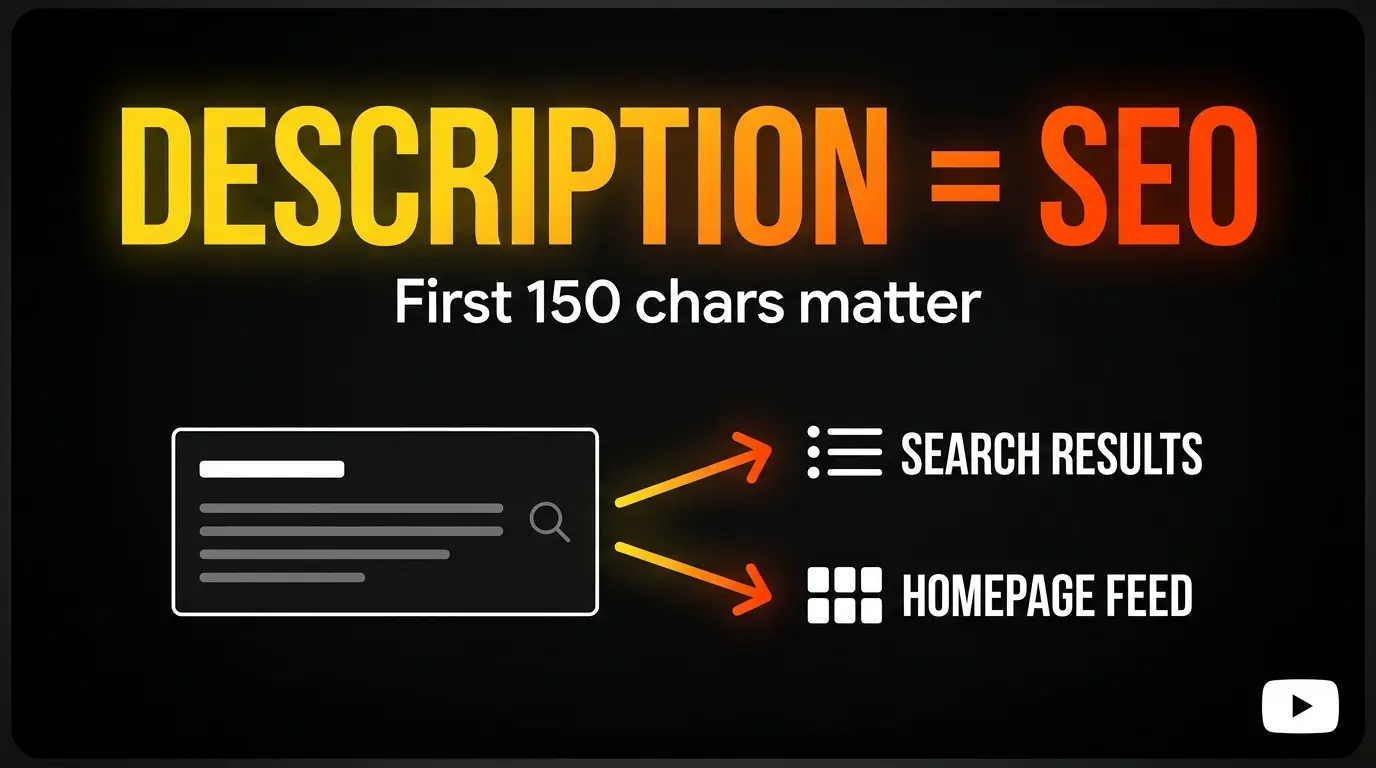
The 150-Character Rule (What Shows Before “Show More”)
The opening lines of your description represent the most valuable real estate in your SEO strategy.
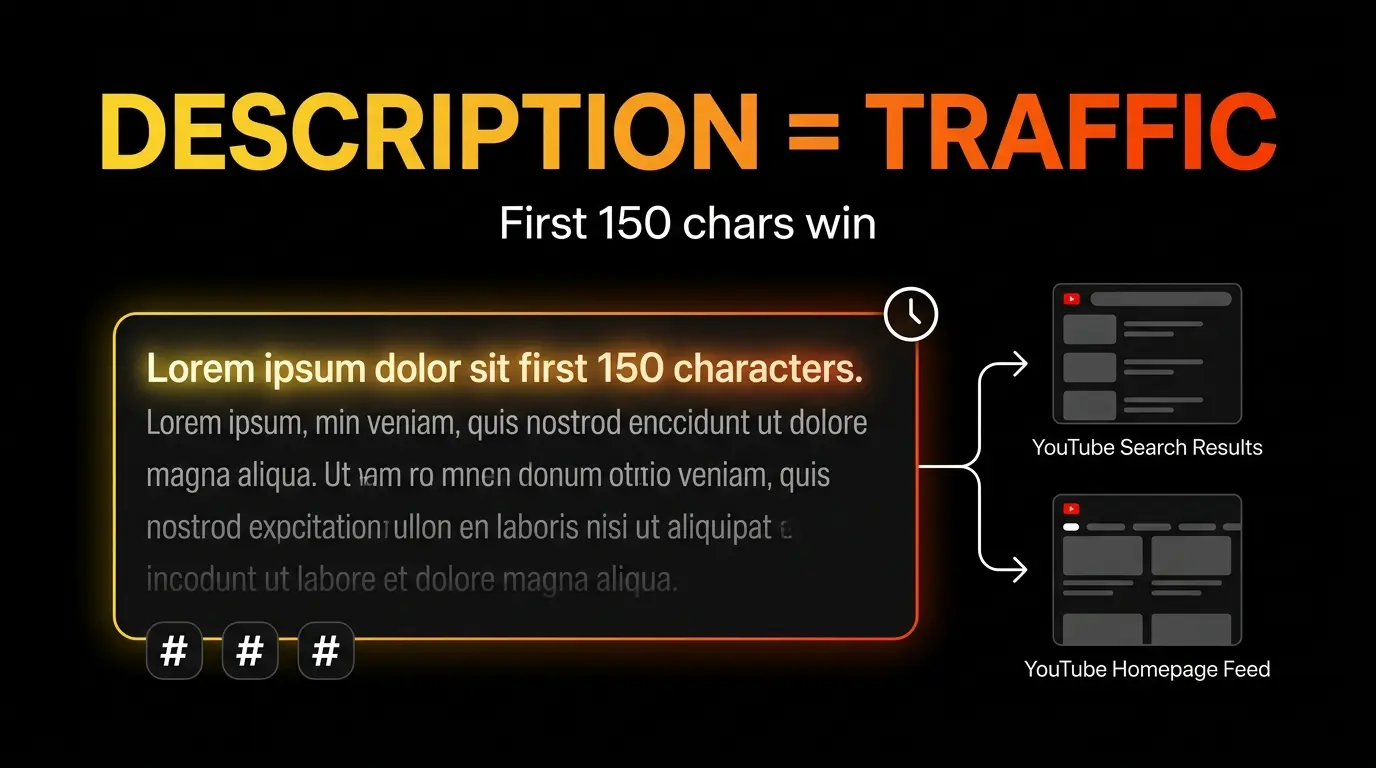
YouTube’s UI displays only the first 100-150 characters before forcing viewers to click “Show More.” Algorithms assign significantly higher weight to this above-the-fold content, treating it as the most accurate summary of your video.
These opening lines function exactly like a meta description in Google search results. They determine whether a user clicks or scrolls past.
Critical optimization rules:
- Place your primary keyword within the first 40 characters to avoid truncation on mobile
- Include a psychological hook that communicates immediate value
- Never waste this space on greetings (“Welcome to my channel!”) or links
- Front-load the benefit the viewer will receive
Failing to optimize these 150 characters causes a direct, measurable drop in CTR. Mobile users - the largest consumption segment - make split-second decisions based entirely on this snippet’s clarity and appeal.
YouTube Channel Description Best Practices 2026
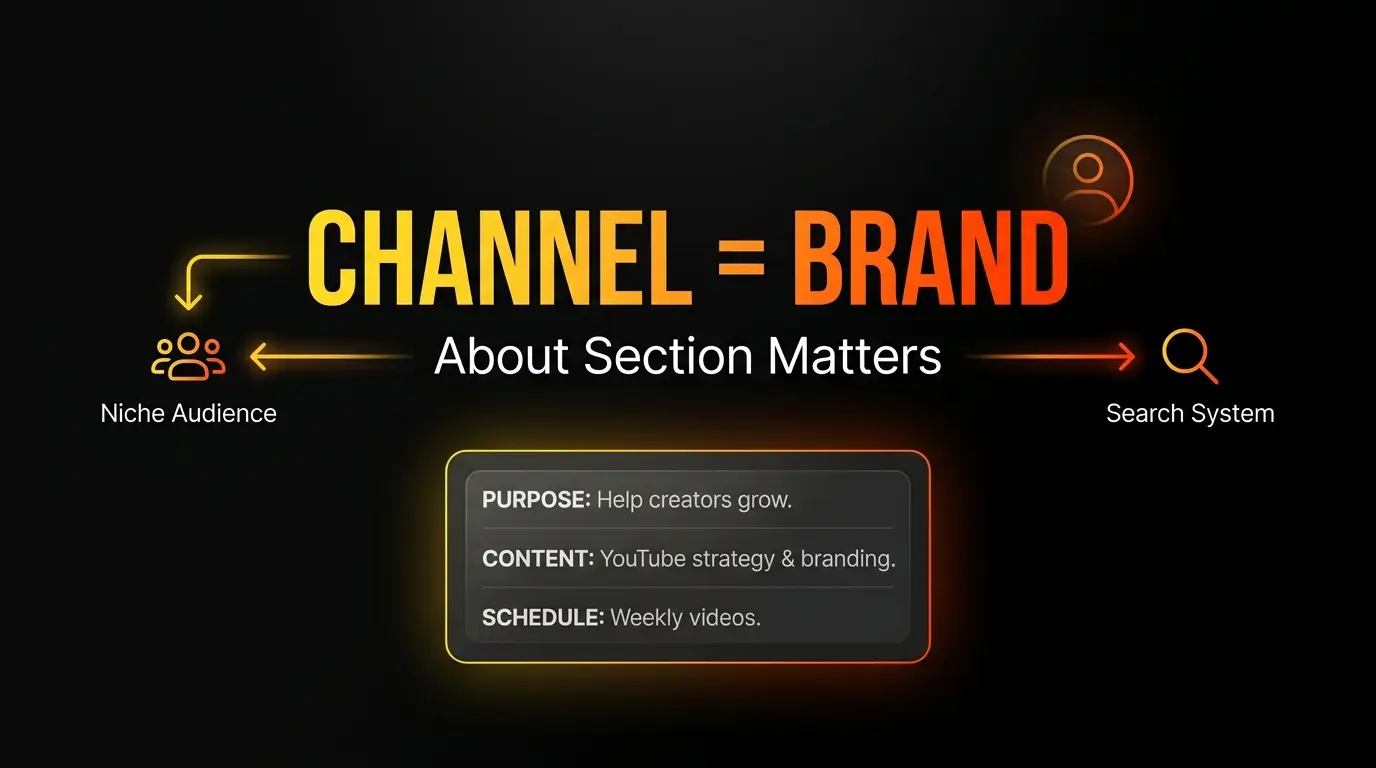
For channel SEO, your About section should clearly state:
- Who the channel helps
- What content format you publish
- Why viewers should trust your guidance
- Your upload cadence
- A simple CTA and official links
Keep it concise and keyword-relevant. The practical target is to use the available 1,000 characters with clear structure instead of writing one dense paragraph.
YouTube Video Description Best Practices [2026]
To dominate YouTube and Google search results in 2026, descriptions must blend compelling human writing with precise technical optimization. The era of keyword stuffing is over. Today, that tactic triggers spam classification and damages channel authority.
Front-Load Your Primary Keyword
Place your target keyword in the first sentence of your description. Research confirms that including it within the first 40 characters prevents mobile truncation and gives YouTube’s indexing system an immediate topic signal.
But balance is essential. The keyword must feel natural within a readable sentence. Modern NLP models detect forced insertions. Instead, weave your primary keyword with related LSI (Latent Semantic Indexing) terms to create a cohesive contextual fabric.
Front-loading does not mean repetition. It means placing the core concept where it receives maximum visual and algorithmic focus.
Optimal Description Length (200-500 Words)
YouTube allows up to 5,000 characters per video description. While the algorithm reads and indexes the full text, writing massive descriptions can backfire on user experience - distracting viewers from the actual video.
Data from top-performing channels in 2026 shows the optimal range: 200 to 500 words (approximately 1,000-2,500 characters). This provides enough space to:
- Include a comprehensive content summary
- Integrate secondary keywords and long-tail variations naturally
- Add affiliate links and resource URLs
- Insert video chapter timestamps
- Reference sources for E-E-A-T credibility
- Include a clear call-to-action
The golden rule: use space strategically to support the video content, not to fill character limits with repetitive text.
YouTube Description Length and Character Limits (2026)
To remove confusion:
- Video description: up to 5,000 characters
- Channel description (About): up to 1,000 characters
- Best practice: prioritize clarity in the first 100-150 characters, then build useful structure with summary, timestamps, links, and CTA.
A shorter but precise description usually outperforms long, unfocused text blocks.
Use Timestamps for Video Chapters
For videos exceeding 5-10 minutes, adding timestamps is a critical ranking factor in 2026. Analysis shows chapters increase average view duration by up to 11% by making long content skimmable.
From a technical perspective, Google’s crawlers use these timestamps to display Key Moments in search results - individual video segments that answer specific queries. This multiplies your visibility beyond YouTube itself.
Timestamp formatting rules:
- Always start with 00:00 (the introduction)
- Use descriptive chapter titles containing secondary keywords
- Avoid vague labels like “Part 1” - use “How to Set Up Your Development Environment” instead
- Include 4-8 chapters for videos over 10 minutes
Add Strategic Hashtags (3-5 Maximum)
Hashtags appear as clickable blue links above or beside your video title, connecting your content to broader topics across the platform.
The 2026 best practice: use 3 to 5 highly relevant hashtags maximum.
Exceeding this with long hashtag lists triggers spam classification. Using overly broad or unrelated hashtags (like #Gaming on a tax video) damages ranking. The algorithm evaluates hashtag relevance against your actual content - mismatches reduce reach.
Select hashtags that precisely describe your video’s core subject to help the algorithm classify and deliver your content to the right audience faster.
YouTube Description Template [Copy-Paste Ready]
Using structured templates ensures consistency, saves production time, and guarantees comprehensive SEO coverage for every upload.
Standard Video Description Template
Best for tutorials, reviews, and informational content:
[Line 1-2: Hook + Primary Keyword (visible above the fold)]
Learn how to master [PRIMARY KEYWORD] - the complete guide for [TARGET AUDIENCE].

[Content Summary - 3-5 lines with secondary keywords]
In this tutorial, we break down [VIDEO TOPIC] step by step.
If you're struggling with [VIEWER PAIN POINT], these proven
strategies will help you achieve [DESIRED RESULT].

What you'll discover today:
- [Key takeaway 1 and its benefit]
- [Key takeaway 2]
- [Key takeaway 3 - the hidden secret]

[Timestamps]
00:00 - Introduction to [KEYWORD]
01:30 - Step 1: [Description with secondary keyword]
04:15 - Step 2: [How to execute the process]
08:00 - Pro tips and common mistakes to avoid
11:20 - Final results and summary

[Resources & Links]
Subscribe for weekly content: [SUBSCRIPTION LINK]
Watch the related video: [VIDEO TITLE + LINK]
Download free resources: [TOOL/SITE LINK]

[Social Links]
Twitter/X: [LINK]
Instagram: [LINK]

[Hashtags - max 5]
#[PrimaryKeyword] #[ChannelNiche] #[BrandName]
SEO-Optimized Description Template
Designed for competitive queries requiring E-E-A-T signals. Ideal for technical, financial, and educational content:
[Hook with data-driven claim]
What is the real impact of [PRIMARY KEYWORD] and how can it
transform [POSITIVE OUTCOME]? This data-driven analysis reveals
the secrets of [TOPIC] for 2026.

[Context paragraph with LSI keywords]
Modern [SECONDARY KEYWORD 1] strategies require deep understanding
of [SECONDARY KEYWORD 2]. We tested [PRODUCT/STRATEGY] to deliver
an objective evaluation. Learn how to integrate [KEYWORD 3] with
[KEYWORD 4] to avoid costly mistakes and maximize efficiency.

[Sources & credentials]
Research sources cited in this video: [LINK TO STUDY]
Equipment/tools used: [LINK + affiliate disclosure if applicable]

[Detailed timestamps]
00:00 - Overview and the [TOPIC] problem
02:45 - [SECONDARY KEYWORD] performance analysis by the numbers
06:20 - Head-to-head comparison: [A] vs [B]
10:15 - Live case study walkthrough
14:30 - Final conclusions and recommendations

[Engagement CTA]
What's your take on the latest [TOPIC] changes? Share your
experience in the comments below!

Don't forget to subscribe and hit the bell for weekly analysis.

[Hashtags]
#[ExactKeyword] #[IndustryTerm] #[Guide2026]
YouTube Shorts Description Template
With Shorts now extending to 3 minutes in 2026, the vertical format requires ultra-concise descriptions. Only 100-150 characters display without expansion.
[Direct, punchy, keyword-first]
The hidden secret behind [PRIMARY KEYWORD] in 3 simple steps!

Struggling with [PAIN POINT]? Discover the solution in this clip.

Full tutorial with step-by-step details: [LONG-FORM VIDEO LINK]
Try the free tool: [SHORT LINK]

#[TargetKeyword] #Shorts #[TrendingNicheTerm]
YouTube Channel Description: Complete Guide
Description optimization extends beyond individual videos to your channel description in the “About” tab. This 1,000-character space functions as your brand’s official manifesto on the platform.
A strong, optimized channel description helps YouTube’s algorithms understand your topical authority and connect your channel with audiences actively searching for your niche.
What to Include in Your Channel Description
Keep it direct and structured. Your channel description should deliver a clear value proposition within 3-5 focused sentences:
- Channel Purpose - What you deliver and who it’s for (“Helping startup founders master digital marketing through practical, data-driven tutorials”)
- Content Type - The format: reviews, tutorials, vlogs, entertainment, analysis
- Upload Schedule - Set expectations (“New video every Tuesday and Saturday”)
- Strategic Keywords - Naturally integrate terms that describe your niche
- CTA + Links - Direct subscription invitation, website, social profiles, business inquiries
Channel Description Examples by Niche
Gaming Channel: “Welcome, competitors! Advanced competitive gameplay analysis, FPS tactics breakdowns, and pro-level highlights to help you rank up fast. Join our growing community for weekly strategy guides, simplified tactical reviews, and professional settings. Subscribe and hit the bell - new videos and Shorts every Monday and Thursday.”
Tech & Reviews Channel: “Your trusted gateway to modern technology. Honest, unbiased tech reviews and in-depth software tutorials to help you choose the right devices and solutions for your needs and budget. From exclusive unboxings to comprehensive benchmark comparisons, we simplify the complex tech world. Subscribe for weekly reviews and practical solutions.”
Cooking Channel: “Your destination for quick, delicious home recipes packed with flavor! We focus on beginner-friendly cooking with simplified techniques, budget-friendly family meals using everyday ingredients, without ever compromising on quality. Join our family and subscribe for new, creative, easy-to-follow recipes every Wednesday and Saturday.”
Travel Channel: “We take you on extraordinary journeys through our lenses! Documenting breathtaking adventures, discovering hidden destinations tourists miss, and delivering smart budget travel tips. Whether you’re planning solo trips or exploring local cultures, find your dose of inspiration here. Subscribe and join our community of passionate travelers.”
Fitness Channel: “Your comprehensive channel for becoming the strongest version of yourself - physically and mentally. Effective home workouts without expensive equipment, systematic training plans for muscle building, and healthy nutrition guidance for a balanced lifestyle. Whatever your current fitness level, we have a plan for you. Start your transformation today.”
Channel Bio vs About Section
Understanding the distinction between these two components is strategically important:
- Bio - Focuses on the human side: brand story, creator background, personality, credentials. Builds emotional connection and trust
- About Section - Serves the structural and technical function: content categories, publishing schedule, SEO keywords, external links, affiliate URLs
Combining warm personal identity with clear technical structure satisfies both algorithmic requirements and audience expectations.
Copyright Description for YouTube [Fair Use Templates]
With Content ID systems becoming more aggressive in 2026, creators using third-party materials face complex legal situations. This applies especially to movie review channels, news analysis, parody content, and educational demonstrations.
Adding a formal copyright disclaimer demonstrates good faith and reduces the probability of copyright strikes - though it does not provide absolute legal immunity.
When You Need a Copyright Disclaimer
A disclaimer becomes essential when your channel methodology relies on quoting copyrighted material under the Fair Use Doctrine (Section 107 of the Copyright Act 1976).
Fair use covers situations where copyrighted content is used without prior permission exclusively for: criticism, commentary, news reporting, teaching, scholarship, or parody.
Successful fair use claims depend on four statutory factors:
- Purpose and character of use - Is it commercial or educational? Does it add transformative value?
- Nature of the original work - Is it published or unpublished? Documentary or fictional?
- Amount used - Was it a small excerpt or the entire work?
- Market impact - Does your usage deprive the original owner of potential revenue?
Fair Use Description Templates
Place copyright disclaimers at the bottom of your description, below keywords and hooks, to avoid disrupting SEO performance.
Standard English Template:
“Copyright Disclaimer under Section 107 of the Copyright Act 1976, allowance is made for ‘fair use’ for purposes such as criticism, comment, news reporting, teaching, scholarship, and research. Fair use is a use permitted by copyright statute that might otherwise be infringing. Non-profit, educational, or personal use tips the balance in favor of fair use. All rights and credit go directly to their rightful owners. No copyright infringement intended.”
Arabic Template:
“اخلاء مسؤولية حقوق الطبع والنشر: بموجب المادة 107 من قانون حقوق الطبع والنشر لعام 1976، يُسمح بالاستخدام العادل لاغراض مثل النقد، التعليق التحليلي، التقارير الاخبارية، التدريس الاكاديمي، البحث العلمي، والمحاكاة الساخرة. تعود جميع الحقوق الفكرية لاصحابها ومبدعيها الشرعيين. لا يُقصد من هذا المقطع اي انتهاك لحقوق الطبع والنشر.”
AI YouTube Description Generator: How to Use AI Effectively
AI text generation tools have revolutionized metadata creation. When used correctly, AI description generators accelerate workflow, extract strategic keywords with mathematical precision, and identify semantic gaps in your SEO strategy.
But the key phrase is “when used correctly.”
Best AI Tools for YouTube Descriptions
| Tool | Key Features | Pricing |
|---|---|---|
| Touhfa Description Generator | 3 style variants (Standard, SEO-Boost, Conversational), hashtags, timestamps, character counter | Free, unlimited |
| TubeBuddy / VidIQ | AI coaching, keyword difficulty scoring, competitive analysis, description suggestions | Free tier + $9-16/mo pro |
| ChatGPT (Plus/Pro) | Flexible creative writing with custom prompts, tone matching, script-to-description conversion | Free basic, $20/mo pro |
| PostEverywhere | AI content generation + scheduling automation, engagement-based optimization | From $19/mo |
When AI Helps vs When It Hurts
AI excels at:
- Extracting deep LSI keywords related to your topic automatically
- Summarizing long video transcripts into concise, accurate descriptions
- Crafting engaging hooks and opening lines
- A/B testing - generating multiple description variants to test CTR performance
- Customizing tone of voice for specific audiences
- Formatting timestamps and extracting chapter titles
AI becomes dangerous when:
- Used as copy-paste without human review - producing generic, robotic paragraphs that repeat the title without adding value
- Generating “hallucinated” claims, fake sources, or non-existent links
- Over-stuffing keywords in ways that trigger YouTube’s spam filters
- Replacing the creator’s authentic voice with synthetic corporate language
- Missing context-specific details only the content creator knows
The rule: Use AI as an accelerator, not a replacement. Generate drafts, then edit with your expertise and brand personality.
Try our free YouTube Description Generator - 3 SEO-optimized styles in seconds
YouTube Description SEO Checklist [2026]
Before clicking “Publish,” verify every description against this comprehensive checklist:
| Category | Requirement | Best Practice |
|---|---|---|
| Hook | Primary keyword in first 100-150 characters? | First 2 lines must show value as a search snippet before “Show More” |
| Keywords | Primary + LSI keywords integrated naturally? | Avoid stuffing. Algorithms evaluate semantic relevance and intent clarity |
| Length | 200-500 words total? | Rich enough for SEO depth without causing visual fatigue |
| Timestamps | Chapters starting from 00:00 with descriptive titles? | Enables Google Key Moments and increases average view duration by 11% |
| Links | Related content, website, affiliate links included? | Keeps viewers in your ecosystem and extends session time |
| CTA | Clear call-to-action (subscribe, comment, click)? | Converts passive views into measurable channel growth |
| Hashtags | 3-5 relevant hashtags at the bottom? | Helps topic indexing without triggering spam classification |
| E-E-A-T | Sources, credentials, or expertise mentioned? | Critical for educational, medical, financial, and technical content |
| Copyright | Fair Use disclaimer needed at bottom? | Required when using third-party copyrighted material |
| Readability | Paragraph breaks, bullet points, emojis for mobile scanning? | Essential for mobile UX where visual scanning drives engagement |
Free YouTube Description Generator Tool
Building a strong, sustainable YouTube presence in 2026 demands precise optimization of every metadata element. Your video description is not supplementary text - it’s the critical bridge connecting creative content with the complex algorithms that control millions of daily views.
By applying the strategies in this guide and using structured templates, you dramatically increase your videos’ visibility and competitive performance.
To simplify this process and eliminate manual errors, use our free tool:
Generate SEO-Optimized YouTube Descriptions Now - 100% Free
Complete your YouTube SEO toolkit:
- YouTube Tag Generator - Maximize search visibility with optimized tags
- YouTube Title Generator - Create click-worthy, SEO-optimized titles
- YouTube Hashtag Generator - Find trending hashtags for Shorts and videos
- YouTube Money Calculator - Estimate your channel’s earning potential
- YouTube Monetization Checker - Verify YPP eligibility instantly
Frequently Asked Questions
Does YouTube description really affect SEO and video ranking in 2026?
Yes, significantly. The description provides critical context that helps advanced algorithms understand your video’s topic and match it with relevant search queries. Natural, strategic keyword usage doesn’t just improve YouTube visibility - it extends to Google’s Search Generative Experience (SGE), where 23% of results now include video content. A well-optimized description drives substantial external traffic to your channel.
What is the ideal length for a YouTube video description?
YouTube allows up to 5,000 characters (approximately 800 words), but reaching that limit isn’t necessary. Focus intensely on the first 150 characters as the most impactful zone. Total description length should range between 200-500 words. This provides enough space for a content summary, timestamps, keyword coverage, and essential links without overwhelming viewers.
What is the “150-character rule” and why is it critically important?
The first 100-150 characters (roughly the first two lines) appear below the video title before viewers must click “Show More.” This golden zone functions as a search snippet that directly influences CTR. These lines must contain your primary keyword and a compelling value proposition. Wasting this space on greetings or links pushes strategic keywords below the visibility line.
How many hashtags should I use in a YouTube description?
Use 3-5 strategically relevant hashtags maximum. Long hashtag lists (tag stuffing) or using broad, unrelated tags for trend-riding is classified as spam by YouTube’s algorithms. This damages content credibility and reduces reach. Select hashtags that precisely match your video’s core subject.
Should I always add timestamps to my description?
Timestamps are essential for videos exceeding several minutes, especially tutorials, reviews, and podcast-style content. They increase average view duration by up to 11% by letting viewers jump to relevant sections. They also qualify your video for segmented display in Google search results (Key Moments), driving organic traffic from outside YouTube.
How do 2026 YouTube algorithms handle descriptions differently?
2026 marks a fundamental shift from exact keyword matching to deep semantic context analysis, search intent understanding, and E-E-A-T evaluation. YouTube now closely integrates with Google’s AI-powered Search Generative Experience, analyzing written descriptions with unprecedented precision to surface relevant video content in generative search results.
When should I add a Fair Use copyright disclaimer to my description?
Add it at the bottom of your description when your video necessarily includes copyrighted material from other creators, used under Section 107 of the Copyright Act. This covers commentary, criticism, news reporting, education, and parody with “transformative” character. Use standardized templates to demonstrate good faith and protect your channel from strikes.
How often should I update my YouTube descriptions?
SEO is not a one-time action. Review and update your channel description (About section) and top-performing video descriptions every 3-6 months minimum. During reviews, update keywords based on YouTube Analytics performance data, fix broken external links, and refresh promotional CTAs to stay aligned with evolving audience interests and algorithm requirements.
![YouTube Channel Comparison: Evaluate Any Two Creators for Free [2026]](/images/seo/youtube-channel-comparison/youtube-channel-comparison.webp)