How to Write a YouTube Channel Description That Ranks [2026]
Your channel description is not a bio. It’s a search engine index card, a conversion pitch, and a trust signal — all compressed into one text field that 73% of potential subscribers actually read before hitting the subscribe button.
In 2026, YouTube’s algorithm doesn’t just scan your description for keywords. It analyzes semantic intent — connecting your description text with the words spoken in your videos, your playlist titles, and your overall topic authority. Google’s Search Generative Experience (SGE) now pulls channel descriptions directly into AI-generated answers, meaning your About section can surface your channel to millions of users who never searched YouTube directly.
This guide breaks down exactly what to write, how to structure it, and which mistakes silently kill your channel’s discoverability.
This is part of our complete setup guide: How to Create a YouTube Channel.
What Google and YouTube Actually Read in Your Description
YouTube’s natural language processing (NLP) in 2026 goes far beyond keyword matching. The algorithm processes your description on four distinct levels:
| Processing Level | What It Does | Impact on Ranking |
|---|---|---|
| Semantic Analysis | Understands meaning behind phrases, not just words | High — connects your channel to precise audience segments |
| E-E-A-T Verification | Checks author identity, credentials, and credibility | High — prioritizes channels with clear, verifiable expertise |
| Intent Matching | Evaluates whether your channel solves the searcher’s problem | Critical for appearing in YouTube Search and Google SGE results |
| Keyword Context | Uses keywords as confirmation signals, not ranking factors | Medium — reinforces topic classification |
The biggest shift in 2026: YouTube now prioritizes viewer satisfaction over raw watch time. The algorithm predicts whether a viewer will feel satisfied after interacting with your channel — and your description sets those expectations. A description that makes accurate promises performs better than one stuffed with keywords that don’t match reality.
How Google SGE Uses Your Description
When someone searches “best marketing strategies for startups,” Google scans channel descriptions claiming expertise in that field and compares them against topical authority signals. Channels with detailed descriptions showcasing real experience and results appear as “trusted entities” in AI-generated answers.
Data shows that alignment between your channel description and your video schema markup increases high-visibility placement by up to 40%.
The 3-Part Description Formula
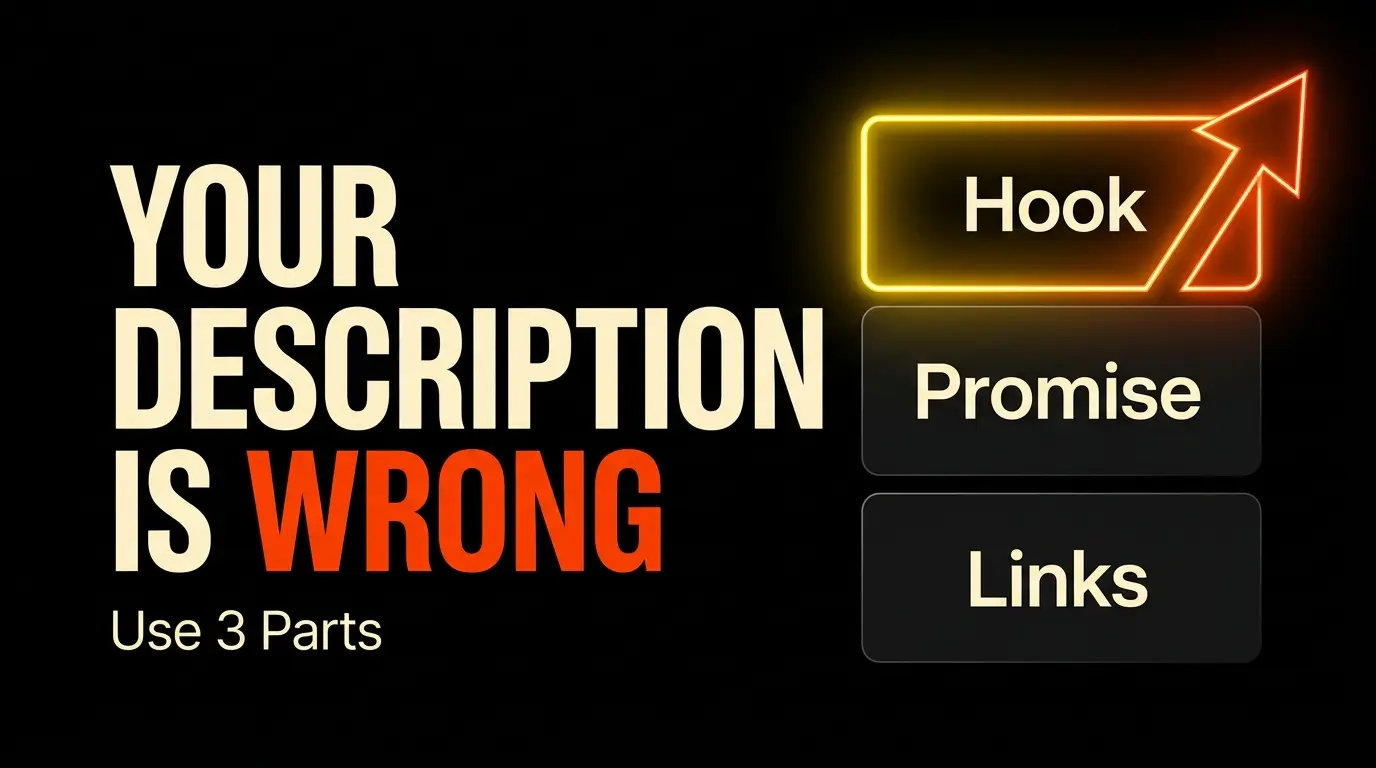
Every high-performing channel description follows the same structure. Three parts, each with a specific job:
Part 1 — Who You Are and What You Do (The Hook)
The first 100–160 characters are the most valuable real estate in your entire channel. This is the text that appears in YouTube search results and mobile previews — where 70% of traffic comes from.
Rules:
- No greeting. No “Hey guys, welcome to my channel.”
- Front-load your primary keyword in the first sentence.
- Answer the viewer’s implicit question: “What do I get from this channel?”
❌ “Hey! Welcome to my channel! I love making videos and sharing my thoughts with you all. Don’t forget to subscribe!”
✅ “Practical thumbnail design tutorials and YouTube growth strategies for creators who want more clicks — new videos every Tuesday.”
The second version puts keywords first (“thumbnail design tutorials,” “YouTube growth strategies”), identifies the audience (“creators who want more clicks”), and sets a schedule — all in one sentence.
Part 2 — Your Content Promise (Lines 2–3)
Once you’ve hooked them, build the psychological contract. Tell viewers exactly what to expect and when.
Use short bullet points for mobile readability:
- What topics you cover — be specific, not vague
- Upload frequency — “New tutorials every Tuesday and Thursday”
- What makes you different — your unique angle in a crowded niche
In 2026, consistency is a weighted signal for YouTube’s recommendation engine. Stating your schedule in the description tells both viewers and the algorithm that your channel is active and reliable.
Part 3 — Links and Contact Block
This section drives session depth — a ranking factor that measures how long viewers stay on YouTube after discovering your channel.
YouTube’s 2026 policy allows up to 14 external links displayed prominently near the subscribe button. Use them strategically:
- Playlist links — increase total session time (direct ranking benefit)
- Website/portfolio — builds cross-platform authority
- Social media profiles — strengthens your entity across the web
- Business email — signals professionalism to potential sponsors
- Clear CTA — “Subscribe for weekly [topic] tutorials”
| Section | Target Length | Strategic Goal |
|---|---|---|
| The Hook | 100–160 characters | Sell the click, define your niche |
| Content Promise | 200–500 characters | Build trust, set expectations |
| Links + Contact | 500+ characters | Deepen sessions, drive conversions |
Keywords in Your Description — Do They Still Matter?
Yes — but not the way they used to. In 2026, keywords are contextual signals, not ranking levers. Stuffing your description with repeated phrases actively hurts your channel.
The Smart Approach
- Place your primary keyword in the first 125 characters — this is what appears in search snippets.
- Use 10–20 keywords naturally across the full 5,000-character limit. No repetition, no forcing.
- Target long-tail phrases (4+ words). Data shows they’re 3–5x easier to rank for than short, competitive terms.
Instead of targeting “learn cooking,” target “healthy meal prep recipes for busy professionals 2026”
Long-Tail vs. Short Keywords in 2026
| Content Type | Keyword Strategy | Ranking Factors |
|---|---|---|
| Long-form videos | Intent-based, detailed, specific phrases | Watch time, retention, metadata quality |
| YouTube Shorts | Trending, hashtag-driven, audio-linked | Swipe rate, completion rate, immediate engagement |
If your channel produces both formats, your description should clearly explain the value of each — don’t force a single keyword strategy to cover everything.
What Keyword Stuffing Looks Like (Don’t Do This)
❌ “This YouTube channel is the best YouTube channel for YouTube tips, YouTube growth, YouTube SEO, YouTube thumbnails, YouTube strategy…”
This triggers spam detection filters and repels human readers. The algorithm in 2026 is sophisticated enough to understand topic relevance without repetition.
3 Description Templates You Can Copy
Template 1: Tutorial / Educational Channel
[Hook]
Helping [target audience] master [main topic] — through step-by-step
practical tutorials. Subscribe to simplify [pain point] and achieve
[desired result].

[Content Promise]
Welcome to [Channel Name]. We turn complex [niche] concepts into
actionable lessons anyone can follow.

➤ New tutorials every [day] at [time].
➤ Topics: [Topic A], [Topic B], and [Topic C].

[Trust + CTA]
With [X] years of experience in [field], we deliver the most accurate
and up-to-date information available.

📩 Free resources: [link]
🎥 Start here — [Topic] playlist: [link]
🔔 Subscribe and turn on notifications.
Template 2: Business / Brand Channel
[Hook]
[Company Name] simplifies [industry/service] for [target client].
Learn the strategies top professionals use to [key business outcome].

[Mission]
Since [year], [Company Name] has been committed to [company goal].
This channel shares that expertise with the world.

[Schedule]
Subscribe for:
• Expert Q&A sessions
• Industry trend analysis
• Case studies on [specific topic]

New videos every [schedule].

🔗 Our services: [website link]
💼 Business inquiries: [email]
Template 3: Entertainment / Reviews / Vlogs
[Hook]
Deep dives into [niche/topic] like you've never seen before.
We uncover the details others miss to give you the full story.

[Scene Setting]
Welcome to [Channel Name] — your destination for [topic] reviews,
vlogs, and behind-the-scenes content.

Expect fresh perspectives on:
• [Review category 1]
• [Vlog series/topic]
• [Exclusive segment]

Live streams every [day]!

📦 My gear: [link]
💬 Join the conversation in the comments.
🔔 Join the [community name] — hit Subscribe.
Need help drafting your description? Try our free YouTube Description Generator — it builds SEO-optimized descriptions in seconds.
Common Description Mistakes
These errors silently damage your channel’s discoverability and credibility:
1. AI-Generated Slop
YouTube in 2026 actively deprioritizes generic, AI-generated text that lacks a human voice. Descriptions that read like they were copy-pasted from ChatGPT without editing get filtered from recommendations. Users report this content, and YouTube’s detection models are trained on these reports.
Fix: Use AI tools to draft, but always rewrite in your own voice with specific details about your experience.
2. Misleading Promises
If your description promises results your content doesn’t deliver, YouTube detects the gap. High CTR combined with low watch time creates a retention cliff — the algorithm’s strongest negative signal. Short-term clicks, long-term burial.
Fix: Only promise what your content actually provides.
3. Wasting the Snippet
Starting with “Hey guys, welcome to my channel, I’m so excited to share…” wastes your most valuable real estate. The first two lines are your ad in search results. Treat them like a Times Square billboard — clear, bold, fast.
Fix: Lead with your value proposition. Keywords first, personality second.
4. No Links or CTA
A description with no links and no call-to-action is a dead end. The viewer finishes reading and has nowhere to go — no playlist, no website, no reason to subscribe. Session depth drops, and YouTube stops recommending your channel.
Fix: Always include playlist links, a subscribe CTA, and your business email.
| Mistake | Algorithm Consequence | Human Consequence |
|---|---|---|
| AI-generated generic text | Filtered from Browse feed | Brand credibility destroyed |
| Keyword stuffing | Classified as spam | Unpleasant reading experience |
| Misleading promises | Retention cliff, suppressed recommendations | Bounce rate spikes, subscribers lost |
| No links or CTA | Session depth drops | Viewer confusion, no conversion path |
Your Description Checklist
Before you publish:
- Primary keyword appears in the first 125 characters
- Hook clearly states what the channel delivers (no greetings)
- Upload schedule specified
- 10–20 keywords used naturally (no stuffing)
- At least 2 playlist links included
- Business email listed
- Subscribe CTA present
- Written in your authentic voice (not raw AI output)
- Updated within the last 3 months
Description done? Now configure the settings that unlock your channel’s full potential. Next: YouTube Channel Settings Every Beginner Must Configure.
Looking for your channel’s visual identity? Review our YouTube Banner Guide.
![Your First 10 YouTube Videos: What to Post [2026]](/images/growth/first-youtube-videos/first-videos-plan.webp)
![How to Get Your First 1000 YouTube Subscribers [2026]](/images/growth/how-to-get-1000-youtube-subscribers/1000-youtube-subscribers.webp)