YouTube Thumbnail Size in Pixels: Dimensions & Specs [1280x720]
[!NOTE] 🔄 Updated March 2026: YouTube has officially raised the thumbnail file size limit from 2MB to 50MB, enabling 4K-resolution thumbnails on smart TV displays. All specs in this guide reflect the latest requirements. Jump to the 50MB breakdown ↓
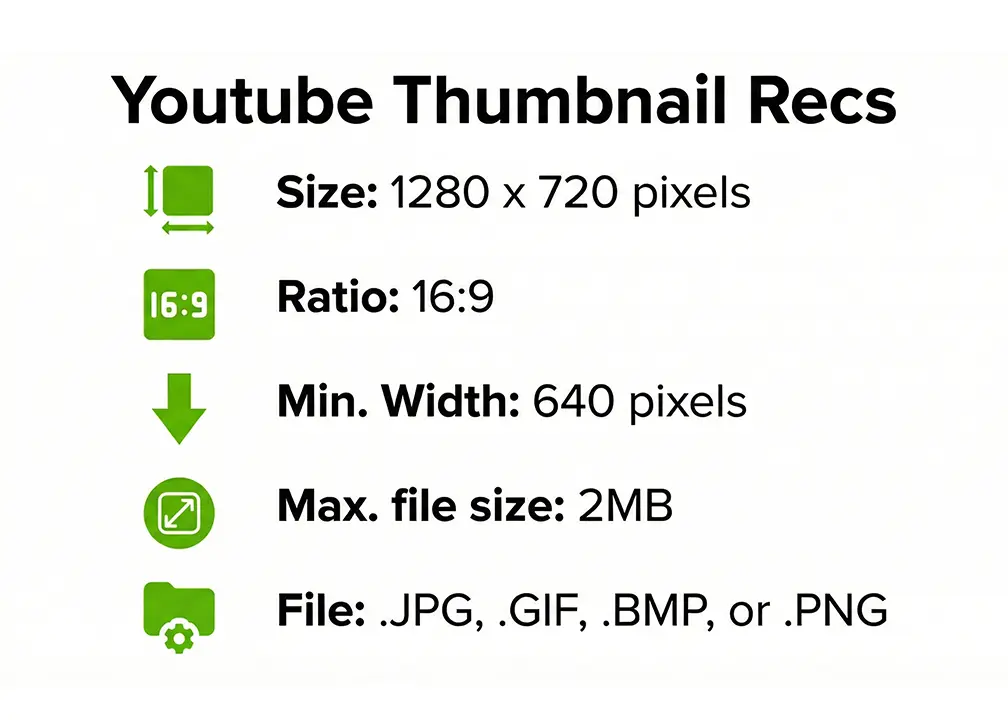
The ideal YouTube thumbnail size is 1280 × 720 pixels with a 16:9 aspect ratio, in JPG or PNG format. As of March 2026, YouTube has expanded the file size limit from 2MB to 50MB to support 4K-resolution thumbnails on smart TVs — but the optimal upload remains 200KB–1MB for best performance across all devices.
Whether you call them thumbnail measurements, dimensions, specs, or resolution — the answer is the same. Getting them wrong is one of the fastest ways to kill your video’s performance: a blurry or cropped thumbnail signals low quality before a single click.
YouTube has clear technical requirements for custom thumbnails, and ignoring them means your design will look terrible on mobile devices (where 70% of YouTube views happen).
This comprehensive guide covers everything you need to know about YouTube thumbnail dimensions, resolution, formats, and optimization — backed by YouTube’s official specifications and design best practices from top creators.
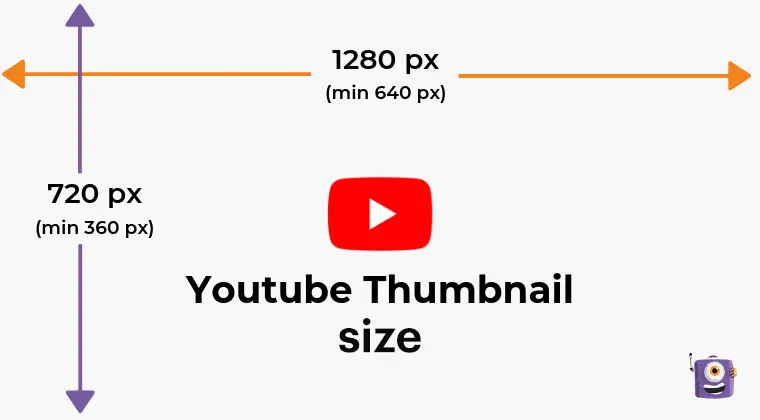 Caption: Complete breakdown of YouTube’s official thumbnail requirements
The Perfect Dimensions: What YouTube Officially Requires
Primary Specification: 1280 x 720 Pixels
YouTube’s official recommendation is 1280 x 720 pixels. This isn’t arbitrary—it’s the sweet spot that ensures your thumbnail looks sharp across all devices while staying under file size limits.
Why 1280 x 720?
- Scales down perfectly for mobile (156 x 88 pixels display)
- Scales up cleanly for desktop suggestions (full size)
- Matches HD video resolution (720p standard)
- Meets YouTube’s minimum width requirement of 640 pixels
Optional: 1920 x 1080 Pixels (Full HD)
Some creators use 1920 x 1080 pixels for improved sharpness on high-resolution displays. This is especially useful if:
- Your content targets desktop viewers primarily
- You use detailed graphics or small text
- You want maximum quality on 4K displays
Trade-off: Larger file size (must still stay under 2MB)
The 16:9 Aspect Ratio Rule
YouTube requires a 16:9 aspect ratio for all thumbnails. This means:
- 16 units wide for every 9 units tall
- Matches YouTube’s video player dimensions
- Prevents cropping, stretching, or black bars
Valid 16:9 dimensions:
- 1280 x 720 (recommended)
- 1920 x 1080 (high quality)
- 640 x 360 (minimum, not recommended)
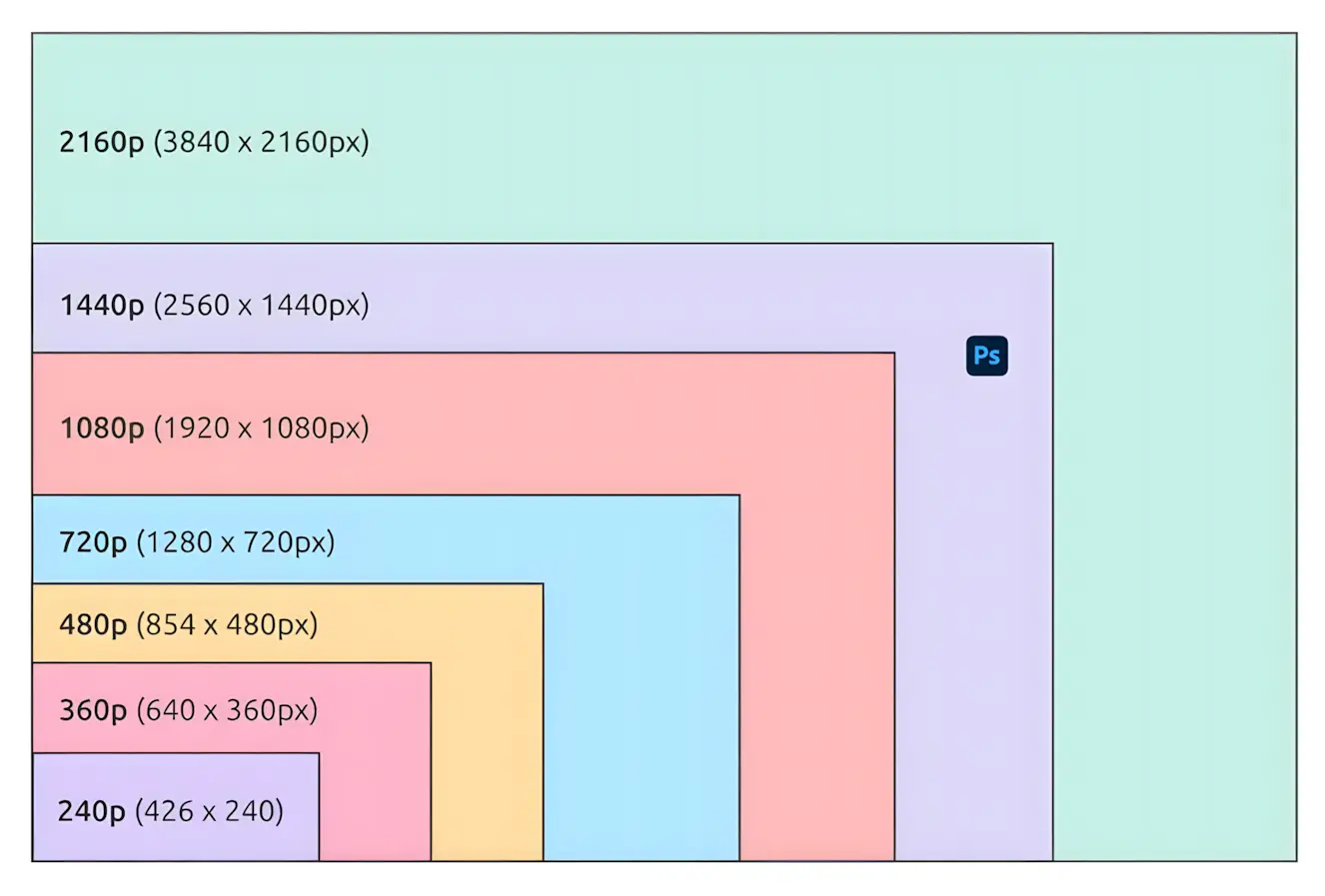 Caption: 16:9 aspect ratio ensures perfect fit across all YouTube interfaces
Format Comparison: JPG vs PNG vs WebP
YouTube accepts JPG, PNG, GIF, and BMP formats, but not all formats are equal.
JPG (JPEG) - Best for Most Thumbnails ✅
When to use: Photo-based thumbnails, realistic images, gradients
Pros:
- Smaller file sizes (typically 200-800KB)
- Faster loading times
- Best for images with many colors
- Universal compatibility
Cons:
- Lossy compression (some quality loss)
- Not ideal for sharp text or graphics
Recommended settings: 80-85% quality, sRGB color profile
PNG - Best for Graphics & Text ✅
When to use: Text-heavy thumbnails, logos, graphics with sharp edges
Pros:
- Lossless compression (no quality loss)
- Supports transparency (though YouTube doesn’t display it)
- Crystal-clear text rendering
- Sharp edges and details
Cons:
- Larger file sizes (600KB-1.5MB)
- Can approach 2MB limit quickly
Recommended settings: PNG-8 for simple graphics, PNG-24 for photos with text
GIF - Avoid for Thumbnails ❌
Why not: YouTube doesn’t support animated GIFs—only the first frame displays. Limited color palette makes images look worse than JPG or PNG.
WebP - Not Supported ❌
YouTube doesn’t accept WebP format (as of 2026). Stick to JPG or PNG.
Quality vs File Size: The File Size Limit
YouTube’s thumbnail file size limit was 2MB for years — but as of March 2026, it has expanded to 50MB. See the full breakdown in the section below. For day-to-day uploading, the optimal target remains 200KB–1MB.
The Optimization Sweet Spot
For JPG images:
- Export at 80-85% quality (Photoshop/GIMP)
- This typically produces 400-800KB files
- Imperceptible quality loss to viewers
- Stays well under 2MB limit
For PNG images:
- Use PNG-8 for simple graphics (under 500KB)
- Use PNG-24 with compression for photo+text (under 1.5MB)
- Run through TinyPNG or similar compressor
Compression Tools That Don’t Destroy Quality
Free options:
- TinyPNG (online): Reduces PNG size by 60-80% without visible quality loss
- JPEGmini (online): Compresses JPG to 80% of original size
- Squoosh (by Google): Advanced compression with preview
- Photoshop’s “Save for Web”: Precise control over quality/file size
Workflow:
- Design thumbnail at 1280 x 720 or 1920 x 1080
- Export as JPG at 85% quality or PNG-24
- Check file size (aim for 400KB–1MB)
- Preview at small size (mobile test)
YouTube’s New 50MB Thumbnail Limit (2026 Update)
YouTube officially raised the thumbnail file size limit from 2MB to 50MB in early 2026 — a 25× increase.
Why YouTube Did This
The decision is driven entirely by TV screens. By the end of 2024, YouTube captured 11.1% of total TV screen time — surpassing Netflix (8.5%) and Prime Video (4.0%). In 2025, TV usage on YouTube grew by an additional 80%.
On a 65-inch 4K TV, a compressed 2MB thumbnail viewed from 6 feet away shows visible softness. The new 50MB limit solves that.
“Soon, we’ll expand the thumbnail file limit from 2MB to 50MB, allowing us to generate and serve new, stunning 4K-resolution thumbnails for creators’ videos.” — YouTube Official Announcement, October 2025
Old vs. New: What Actually Changed
| Spec | Old Limit | New Limit (March 2026) |
|---|---|---|
| Max file size | 2 MB | 50 MB |
| Max resolution | 1920×1080 practical | Up to 3840×2160 (4K) |
| Primary target | Mobile & desktop | + Smart TVs & streaming devices |
| Podcast thumbnails | 10 MB | 10 MB (unchanged) |
Should You Upload 50MB Thumbnails? (Honest Answer)
For most creators: No. Here’s the data:
| Where viewers watch | Thumbnail display size | Benefit of 50MB? |
|---|---|---|
| 📱 Smartphone (~70% of views) | 156×88 px | ❌ Zero visible difference |
| 💻 Desktop/Laptop | 246×138 px | ❌ Barely noticeable |
| 📺 Smart TV (4K, 65”+) | Full resolution | ✅ Minor improvement |
The math: A well-optimized 800KB thumbnail at 1280×720 looks pixel-perfect on any phone or laptop. The quality difference only becomes visible on large 4K TVs — and even then, CTR is driven by contrast, facial expression, and composition, not resolution.
[!TIP] When 4K thumbnails DO make sense:
- You run a design or photography channel where fine detail matters
- Your audience primarily watches on large-screen TVs or monitors
- Your thumbnail has intricate textures or small typography that compress poorly
The Still-Optimal File Size in 2026
✅ Best for 99% of creators: 200KB – 1MB at 1280×720 or 1920×1080
🆕 When to go bigger: 2MB–5MB for design/photography channels targeting TV audiences
❌ Unnecessary: 50MB uploads for mobile-first content
Want to see what top creators’ thumbnails look like at full resolution? Download any YouTube thumbnail in HD and zoom in to study the compression choices pros make.
Resolution Deep Dive: DPI Myths Debunked
The 72 DPI vs 300 DPI Confusion
Here’s the truth: DPI (dots per inch) is irrelevant for screens. It only matters for print.
Why 300 DPI doesn’t help YouTube:
- Screens display in pixels, not inches
- A 1280 x 720 image at 72 DPI looks identical to 1280 x 720 at 300 DPI on YouTube
- Higher DPI only increases file size unnecessarily
What actually matters: Pixel dimensions (1280 x 720)
Screen Resolution Considerations
Standard displays (1080p): 1280 x 720 looks perfect
Retina/4K displays: 1920 x 1080 provides sharper quality (well within the 50MB limit)
Mobile screens: YouTube automatically scales down, so start with full resolution
Future-Proofing for 4K
YouTube now officially supports up to 3840 x 2160 (4K) thumbnails with the new 50MB limit. However, for most creators:
- Visible quality gain only on large 4K TV screens
- Mobile and desktop remain unaffected
- Stick to 1920 x 1080 maximum unless you’re specifically targeting TV viewers
YouTube Thumbnail Size in Inches, CM & Pixels
A frequently asked question — here’s the complete reference:
| Unit | Standard (1280×720) | High Quality (1920×1080) |
|---|---|---|
| Pixels | 1280 × 720 px | 1920 × 1080 px |
| Inches (96 DPI screen) | 13.3” × 7.5” | 20” × 11.25” |
| Inches (300 DPI print) | 4.27” × 2.4” | 6.4” × 3.6” |
| Centimeters (96 DPI) | 33.8 × 19.1 cm | 50.8 × 28.6 cm |
[!IMPORTANT] DPI does not matter for YouTube. Screens display in pixels only. A 1280×720 image at 72 DPI and at 300 DPI look completely identical on YouTube. Always design in pixels, never inches.
Mobile Size Optimization: Where 70% of Views Happen
How Thumbnails Display on Mobile
Over 69-70% of YouTube views happen on mobile devices, making mobile optimization critical.
Display sizes by device:
Smartphones:
- Search results: ~156 x 88 pixels
- Home feed: ~168 x 94 pixels
- Suggested videos: ~168 x 94 pixels
Tablets:
- Search results: ~246 x 138 pixels
- Home feed: ~280 x 158 pixels
Desktop:
- Search results: ~246 x 138 pixels
- Suggested videos (sidebar): ~168 x 94 pixels
- Homepage large: ~396 x 222 pixels
- Full size (video suggestions): 1280 x 720 pixels
Mobile-First Design Principles
1. Text must be LARGE:
- Minimum 60-80px font size for main text
- 3-5 words maximum
- High contrast (white text on dark, or vice versa)
- Thick stroke/outline (10-15px)
For advanced typography techniques used by top creators, study the MrBeast thumbnail typography masterclass — the same font rules apply at any thumbnail size.
2. Simplify composition:
- One clear focal point (face or object)
- Uncluttered background
- Bold, saturated colors
- High contrast everywhere
3. Test at small size:
- Resize to 168 x 94 pixels
- Can you still read text?
- Is the subject clear?
- Do colors still pop?
📱 Preview before publishing: Use our YouTube Thumbnail Preview Tool to simulate exactly how your thumbnail looks on mobile, dark mode, and search results — before uploading.
Smart TV Considerations
YouTube is increasingly watched on TVs. Your thumbnail should:
- Look sharp at large sizes (supports 1920 x 1080)
- Be visible from 8-10 feet away
- Have sufficient contrast for TV displays
Text Size Guidelines: Readability Rules
Minimum Font Sizes
Based on mobile readability requirements:
Main text/headline:
- Minimum: 60-80px (at 1280 x 720 canvas)
- Recommended: 100-140px
- Maximum: 200-250px (don’t overwhelm)
Secondary text:
- Minimum: 40-50px
- Recommended: 60-80px
Fine print (avoid if possible):
- Minimum: 30px
- Not recommended for thumbnails
Text Treatment for Maximum Readability
For detailed typography techniques used by top creators, see our MrBeast thumbnail typography masterclass.
Stroke/Outline:
- 10-15px white stroke on colored text
- OR 10-15px black stroke on white text
- Ensures readability on any background
Drop Shadow:
- 6-8px distance
- 80-90% opacity
- 135° angle (bottom-right)
- Adds depth and separation
Background:
- Place text over solid color areas
- Avoid busy backgrounds behind text
- Use blur or darken background under text
Safe Zones and Margins: Avoiding YouTube UI Overlays
YouTube’s interface overlaps your thumbnail in specific areas. Design around these.
YouTube UI Overlays
Bottom-right corner: Video duration timestamp (e.g., “10:24”)
- Size: ~60 x 20 pixels (scaled)
- Always present on desktop/mobile
- Don’t place text or important elements here
Bottom bar (mobile app only):
- Additional overlay on mobile
- Keep bottom 80-100 pixels relatively clear
Safe Zone Specifications
Desktop safe zone: Center 1100 x 620 pixels Mobile safe zone: Center 960 x 540 pixels
Practical margins:
- Top/Bottom: 50-60 pixels from edge
- Left/Right: 90-100 pixels from edge
- Bottom-right corner: 150 x 100 pixel exclusion zone
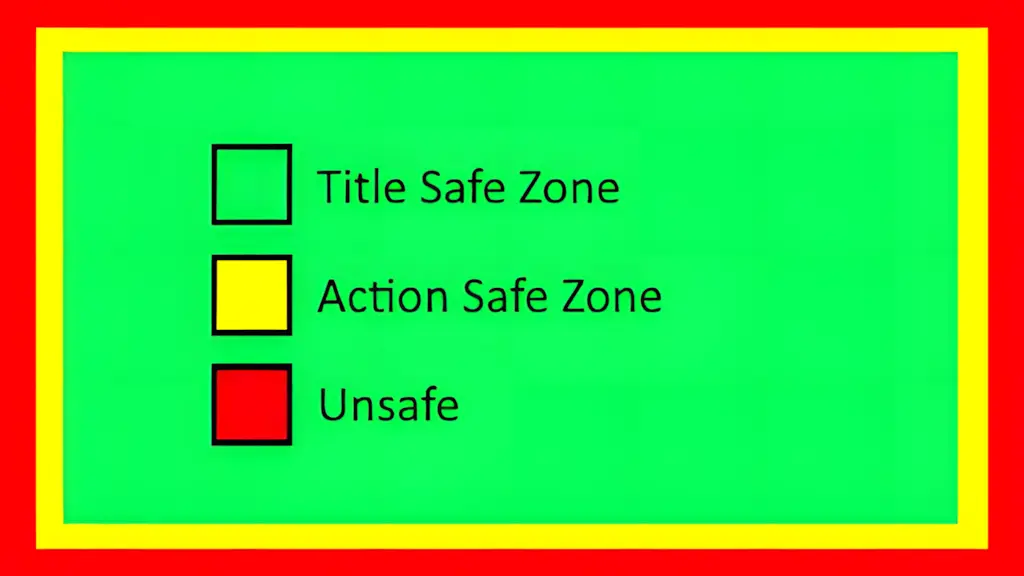 Caption: Keep important elements within the green safe zones
Center Focus Area Strategy
- Place main subject (face/object) in center 60% of frame
- Position text in top-left, top-center, or top-right
- Leave breathing room around edges (looks cleaner)
Export Settings Masterclass
Photoshop “Save for Web” Settings
For JPG thumbnails:
- File > Export > Save for Web (Legacy)
- Format: JPEG
- Quality: 80-85% (sweet spot)
- Optimized: ✓ (checked)
- Convert to sRGB: ✓ (checked)
- Preview: Check file size (aim for 400-800KB)
For PNG thumbnails:
- File > Export > Save for Web (Legacy)
- Format: PNG-24
- Interlaced: ✗ (unchecked)
- Convert to sRGB: ✓ (checked)
- If over 2MB, use PNG-8 or compress
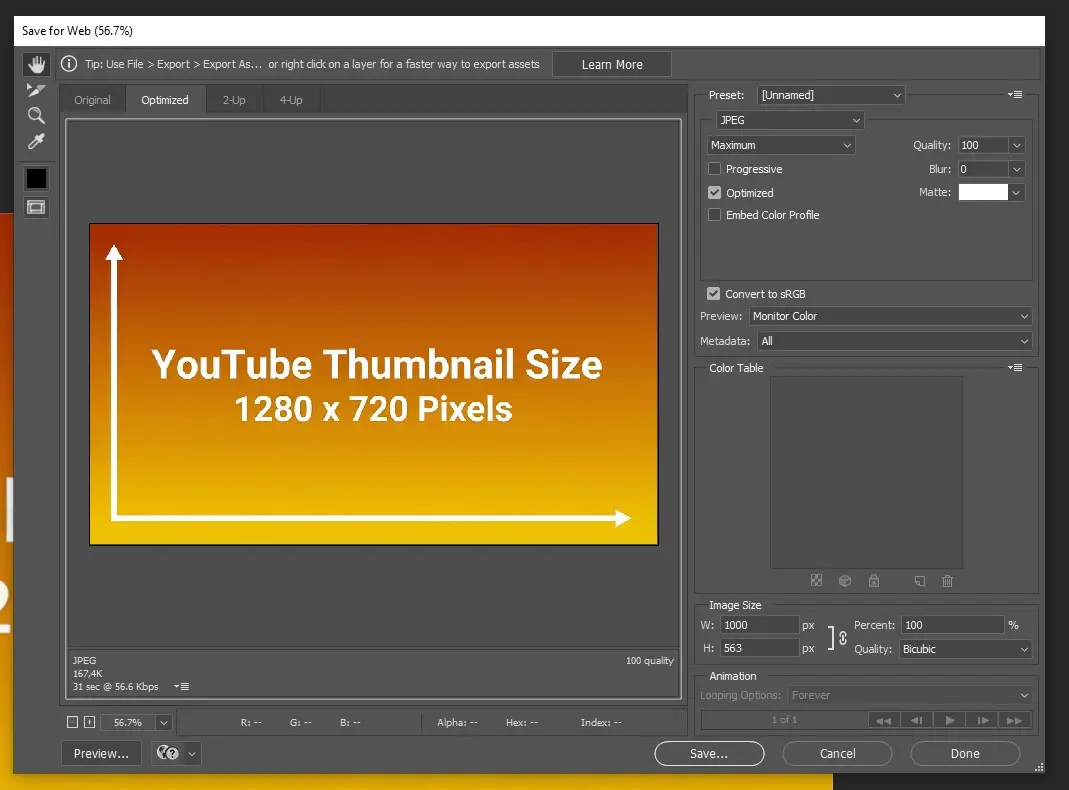 Caption: Optimal Photoshop “Save for Web” settings for YouTube thumbnails
Canva Download Settings
Recommended Canva export:
- Download button (top-right)
- File type: PNG (for text-heavy) or JPG (for photos)
- Quality: Standard (not “High” - wastes file size)
- Download
- Check file size: if over 2MB, re-download as JPG
Note: Canva automatically exports at correct dimensions if you used their YouTube thumbnail template.
GIMP Export Settings
For JPG:
- File > Export As
- Select .jpg extension
- Quality: 85-90
- Progressive: ✗ (off)
- Save EXIF/XMP/IPTC: ✗ (off, reduces file size)
Color Profile: sRGB vs Adobe RGB
Always use sRGB for web/YouTube:
- sRGB is the standard color space for screens
- Adobe RGB is for print
- Using Adobe RGB on YouTube can cause dull colors
Common Size Mistakes That Kill Thumbnails
Mistake #1: Wrong Aspect Ratio
Problem: Uploading 4:3, 1:1 (square), or other ratios Result: YouTube adds black bars or crops awkwardly Solution: Always use 16:9 (1280 x 720 or 1920 x 1080)
Mistake #2: Text Too Small
Problem: Using 20-30px text that’s unreadable on mobile Result: Viewers can’t read your message, lower CTR Solution: Minimum 60-80px, ideally 100-140px
Mistake #3: File Size Over 2MB
Problem: Exporting PNG-24 at 1920 x 1080 with complex graphics Result: YouTube rejects upload Solution: Compress with TinyPNG or switch to JPG
Mistake #4: Low Resolution (Below 640px Width)
Problem: Uploading small images (e.g., 480 x 270) Result: Blurry, pixelated thumbnails that look unprofessional Solution: Always start with 1280 x 720 minimum
Mistake #5: Ignoring Mobile Display
Problem: Designing only for desktop, text unreadable on phone Result: 70% of viewers see a bad thumbnail Solution: Test at 168 x 94 pixels before finalizing
 Caption: 5 most common thumbnail size mistakes and how to avoid them
Testing Across Devices: QA Before Publishing
Preview Tools
YouTube Studio built-in preview:
- Upload video as “Unlisted”
- Check thumbnail preview
- View on actual phone before publishing
TubeBuddy Thumbnail Preview:
- Simulates search results, suggested videos, mobile
- Free tool for YouTube creators
VidIQ Mobile Preview:
- Shows how thumbnail appears in YouTube app
- Desktop extension
🧪 Go further with data: Once you’ve confirmed your design looks right, A/B test it against a variant using YouTube’s native Test & Compare feature. One thumbnail swap added +800K views for a creator in a documented case study.
Real Device Testing (Best Method)
Essential test:
- Upload thumbnail to unlisted video
- Open YouTube app on your phone
- View in search results and home feed
- Ask: Can I read the text? Is the subject clear?
Desktop test:
- View in Incognito/Private window
- Check search results, suggested sidebar, homepage
Browser Emulators
Chrome DevTools:
- Right-click > Inspect
- Toggle device toolbar (mobile icon)
- Select iPhone/Android device
- Navigate to your video
- View thumbnail
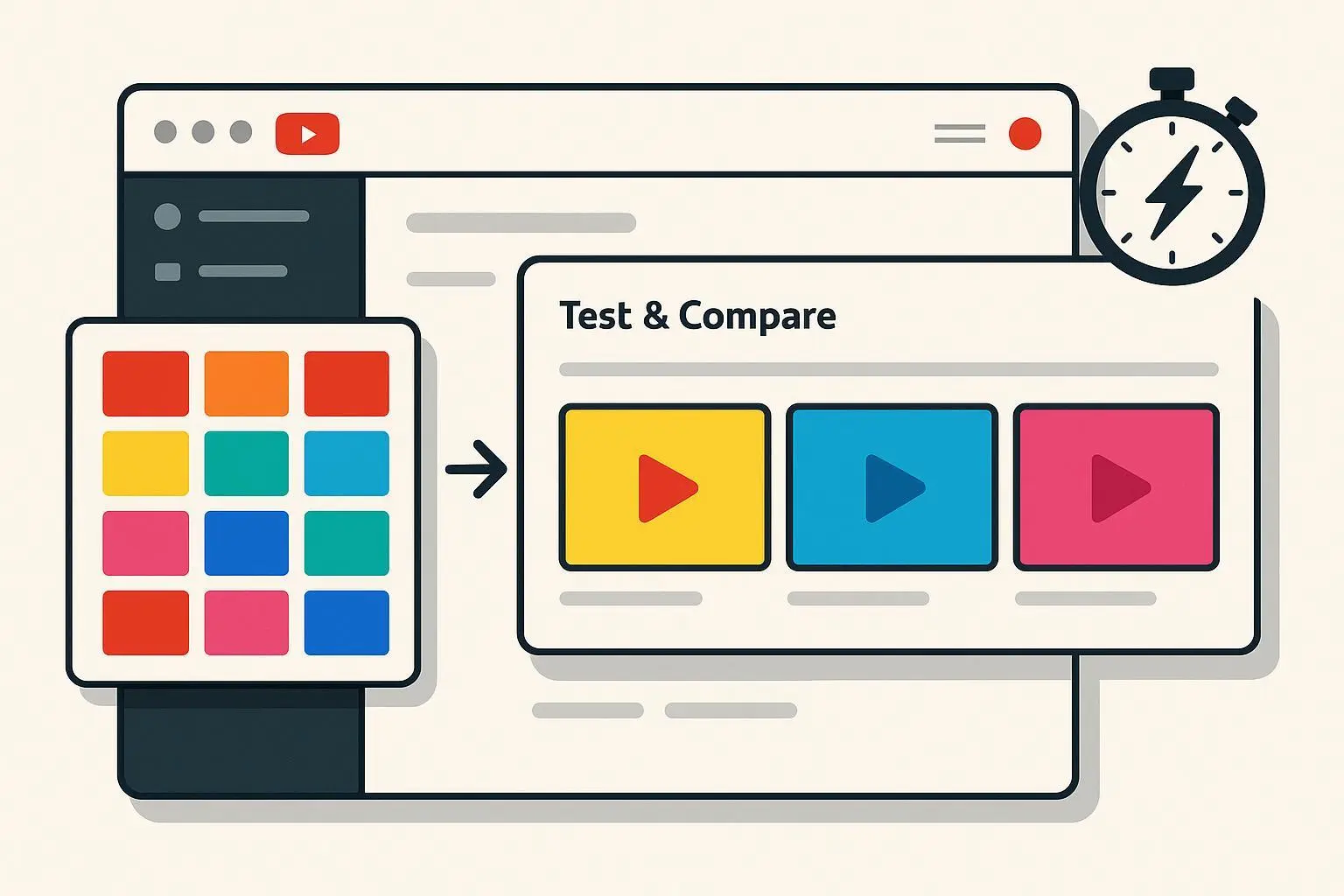 Caption: Complete testing process before publishing
Platform-Specific Considerations
YouTube vs YouTube Music
YouTube (standard): 1280 x 720, 16:9 aspect ratio
YouTube Music/Podcasts: 1280 x 1280, 1:1 square aspect ratio
- Different spec for audio-focused content
- 10MB file size limit (vs 2MB for videos)
Embedded Players
When your video is embedded on websites:
- Thumbnail displays until viewer clicks play
- Can be any size (site-dependent)
- Your 1280 x 720 thumbnail scales appropriately
- Maintains aspect ratio
Social Media Shares
When shared on Facebook, Twitter, etc.:
- Thumbnail becomes the preview image
- Platforms may crop differently
- Design with center focus to accommodate
YouTube Shorts Thumbnail Size
YouTube Shorts use a 9:16 vertical format (1080 × 1920 pixels), but thumbnail handling works differently:
Custom Shorts Thumbnails (2026):
- YouTube now allows custom thumbnails for Shorts
- Recommended size: 1080 × 1920 pixels (9:16)
- Alternative: 1280 × 720 (16:9) — YouTube auto-crops for vertical display
- File format: JPG or PNG, under 2MB
Design Tips for Shorts Thumbnails:
- Keep all key elements centered (edges get cropped in feeds)
- Use even larger text than standard thumbnails (viewers scroll faster)
- Bold, high-contrast colors are essential
- Test both vertical (9:16) and horizontal (16:9) versions
Where Shorts Thumbnails Appear:
| Location | Format Shown |
|---|---|
| Shorts shelf | Vertical (9:16) |
| Search results | Horizontal (16:9) |
| Channel page | Horizontal (16:9) |
| Suggested videos | Horizontal (16:9) |
Templates and Checklists
Size Reference Template (Download Ready)
Pre-sized Photoshop template:
- Canvas: 1280 x 720 px, 72 DPI, RGB
- Safe zone guides: 1100 x 620 px (center)
- UI overlay guides (bottom-right timestamp area)
- Text size reference (60px, 100px, 140px)
- Margin guides (90px left/right, 50px top/bottom)
Canva template:
- Search “YouTube Thumbnail” in Canva
- Auto-sized to 1280 x 720
Pre-Flight Checklist
Before uploading your thumbnail, verify:
Technical specs:
- ✅ Dimensions: 1280 x 720 (or 1920 x 1080)
- ✅ Aspect ratio: 16:9
- ✅ File format: JPG or PNG
- ✅ File size: Under 2MB
- ✅ Color profile: sRGB
Design elements:
- ✅ Text minimum 60px (ideally 100-140px)
- ✅ High contrast colors
- ✅ No text in bottom-right corner (timestamp area)
- ✅ Main subject in center 60% of frame
- ✅ Margins: 90px left/right, 50px top/bottom
Mobile optimization:
- ✅ Tested at 168 x 94 pixels (mobile size)
- ✅ Text readable at small size
- ✅ Subject clear and recognizable
- ✅ Colors vibrant and eye-catching
Quality assurance:
- ✅ No pixelation or blur
- ✅ Proper compression (80-85% JPG quality)
- ✅ Viewed on actual mobile device
- ✅ Matches video content (not clickbait)
Conclusion: Size Matters, But Design Matters More
YouTube’s official thumbnail size is 1280 x 720 pixels at a 16:9 aspect ratio, under 2MB, in JPG or PNG format. These technical specifications are non-negotiable.
But perfect dimensions mean nothing if your design is weak. Focus on:
- Mobile readability (70% of viewers)
- Bold, simple composition (one clear subject)
- High contrast text (100-140px minimum)
- Testing before publishing (preview on actual devices)
Quick reference:
- Standard: 1280 x 720 px, JPG at 85% quality, ~600KB
- High quality: 1920 x 1080 px, PNG or JPG, under 1MB
- New 2026 limit: Up to 50MB (4K thumbnails for TV screens)
- Aspect ratio: Always 16:9
- Text size: 100-140px for main text
Get the size right, then focus on making thumbnails that boost your click-through rate.
Frequently Asked Questions
What is the size of a YouTube thumbnail?
The recommended YouTube thumbnail size is 1280 × 720 pixels with a 16:9 aspect ratio. The minimum width is 640 pixels, and the maximum file size is 2MB. Use JPG for photo-based thumbnails or PNG for graphics with text.
What are the dimensions for a YouTube thumbnail?
YouTube thumbnail dimensions should be 1280 × 720 pixels (standard) or 1920 × 1080 pixels (high quality). Both maintain the required 16:9 aspect ratio. Always export in RGB color mode with sRGB color profile.
What resolution should a YouTube thumbnail be?
The standard resolution is 1280 × 720 pixels (720p). For sharper quality on Retina and 4K displays, use 1920 × 1080 pixels (1080p). DPI settings (72 vs 300) do not matter for screens — only pixel dimensions matter.
What is the aspect ratio of a YouTube thumbnail?
YouTube thumbnails require a 16:9 aspect ratio — meaning 16 units wide for every 9 units tall. This matches the YouTube video player dimensions and prevents cropping, stretching, or black bars.
What size is a YouTube Shorts thumbnail?
YouTube Shorts custom thumbnails should be 1080 × 1920 pixels (9:16 vertical). Alternatively, you can upload a standard 1280 × 720 (16:9) thumbnail, and YouTube will auto-crop it for the Shorts shelf.
What format should a YouTube thumbnail be?
YouTube accepts JPG, PNG, GIF, and BMP formats. Use JPG (at 80-85% quality) for photo-based thumbnails and PNG for thumbnails with text or graphics. Avoid GIF (only first frame shows) and WebP (not supported).
What is the file size limit for YouTube thumbnails?
As of March 2026, YouTube raised the thumbnail file size limit from 2MB to 50MB for video thumbnails (podcasts remain at 10MB). This supports 4K-resolution thumbnails on smart TV displays. For most creators, the practical sweet spot remains 200KB–1MB — there’s no visible benefit to uploading 50MB thumbnails on mobile or desktop.
What is the new YouTube thumbnail size limit in 2026?
YouTube’s new thumbnail file size limit is 50MB (up from 2MB), announced in October 2025 and rolled out in early 2026. This allows creators to upload 4K-resolution thumbnails (up to 3840×2160 pixels) primarily for YouTube’s growing smart TV audience. The resolution requirement (1280×720 minimum) and aspect ratio (16:9) remain unchanged.
Should I upload 4K thumbnails now that YouTube allows 50MB?
For most creators, no. The visual difference is only visible on large 4K TV screens. Since ~70% of YouTube views happen on mobile (where thumbnails display at ~156×88 px), a well-optimized 1280×720 JPG under 1MB performs identically. Exception: design, photography, or cinematic channels targeting TV-first audiences with fine-detail thumbnails.
Keep learning:
- 🔥 Apply 60 trending YouTube thumbnail design tips
- 📊 Learn how to get high CTR on your thumbnails
- 🎨 Study the MrBeast thumbnail design formula
- 🛠️ Find the best thumbnail design tools for creators
- 🧪 A/B test your thumbnail vs. a variant — one swap can add 800K+ views
- 🔎 Download any YouTube thumbnail in HD to study compression choices
- 📱 Preview your thumbnail on mobile before uploading