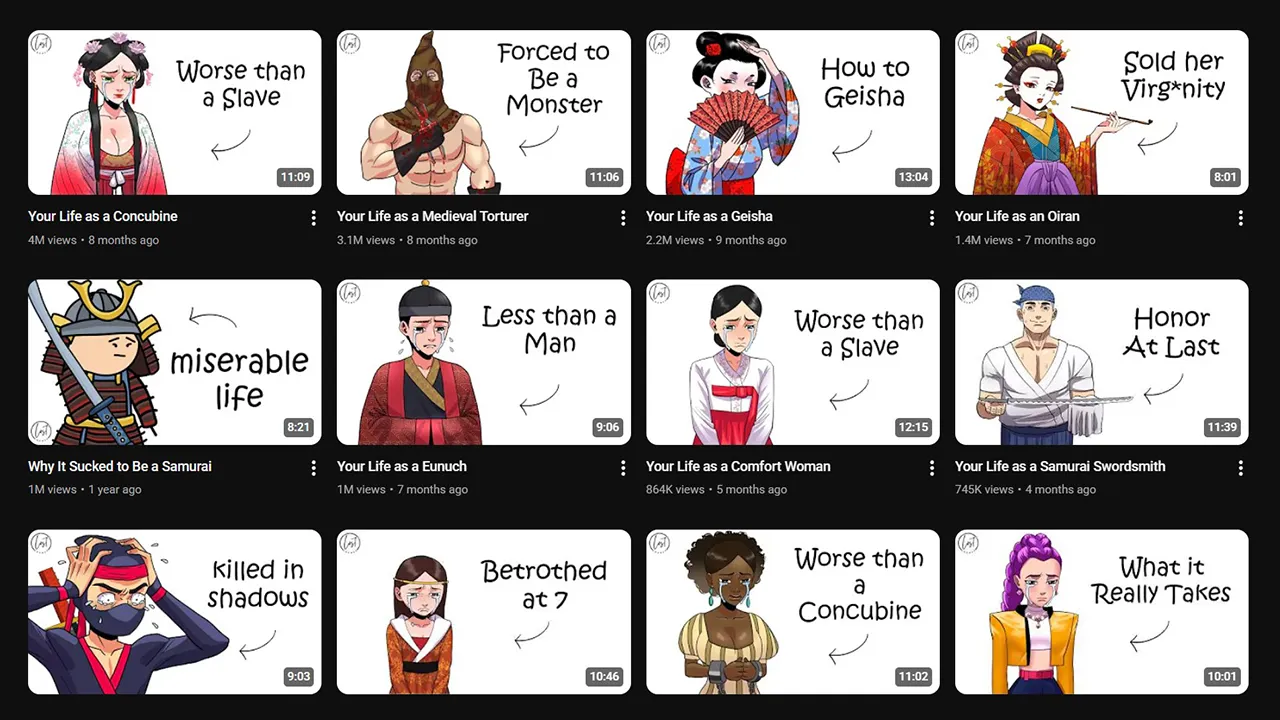
Your YouTube thumbnail is the single biggest factor that determines whether someone clicks on your video — or scrolls past it. Studies show that 90% of top-performing YouTube videos use custom thumbnails, and a great thumbnail can boost your click-through rate (CTR) by 30% or more.
But here’s the problem: most creators waste hours juggling between expensive tools, low-quality free options, and confusing workflows. You don’t have to.
In this complete guide, we’ve reviewed 42+ YouTube thumbnail tools across every category — from free online utilities to professional design software and cutting-edge AI generators. Whether you’re a beginner uploading your first video or a seasoned creator optimizing for millions of views, you’ll find the perfect toolkit here.
TL;DR: Start with our free Touhfa thumbnail tools — they cover downloading, previewing, compressing, and grabbing thumbnails. Pair them with Canva for design and YouTube Studio for A/B testing. Total cost: $0.
Touhfa Free Tools Suite — Your Complete Thumbnail Workflow {#touhfa-free-tools-suite}
Before spending money on paid tools, try our 100% free YouTube thumbnail tools built specifically for creators. These four tools cover every step of the thumbnail workflow:
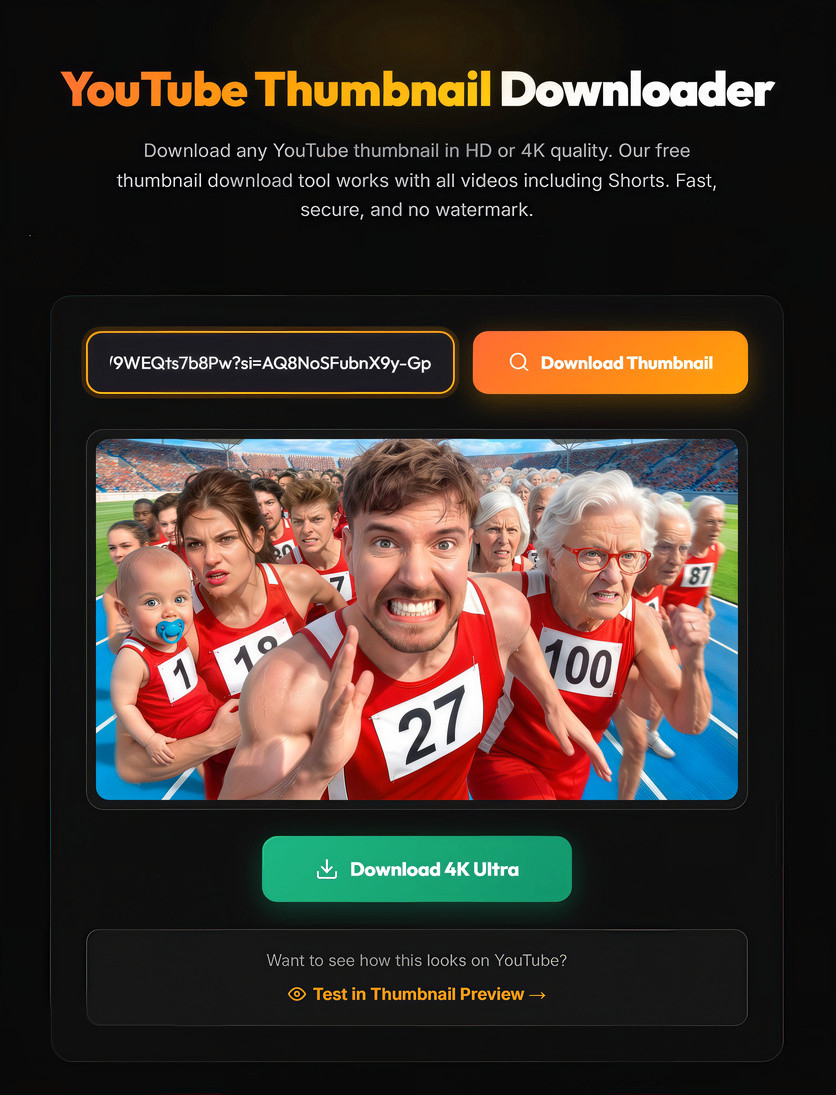
1. YouTube Thumbnail Downloader — Save Any Thumbnail in HD & 4K
Try the YouTube Thumbnail Downloader →
Need to study what makes competitor thumbnails successful? Our downloader lets you save any YouTube video’s thumbnail in the highest available quality — up to 4K resolution.
| Feature | Details |
|---|---|
| Quality Options | SD, HD, Full HD, 4K |
| Input | Any YouTube video URL |
| Speed | Instant — results in under 1 second |
| Registration | Not required |
| Price | Free forever |
How creators use it:
- Competitive analysis — Download thumbnails from top creators in your niche to study color schemes, text placement, and composition
- Inspiration boards — Build a library of high-performing thumbnails to reference during design
- Trend tracking — Monitor how thumbnail styles evolve over time in your category
Pro tip: Download 10-15 thumbnails from the top videos in your niche. Look for common patterns in text size, face positioning, and color contrast. These patterns exist because they work.
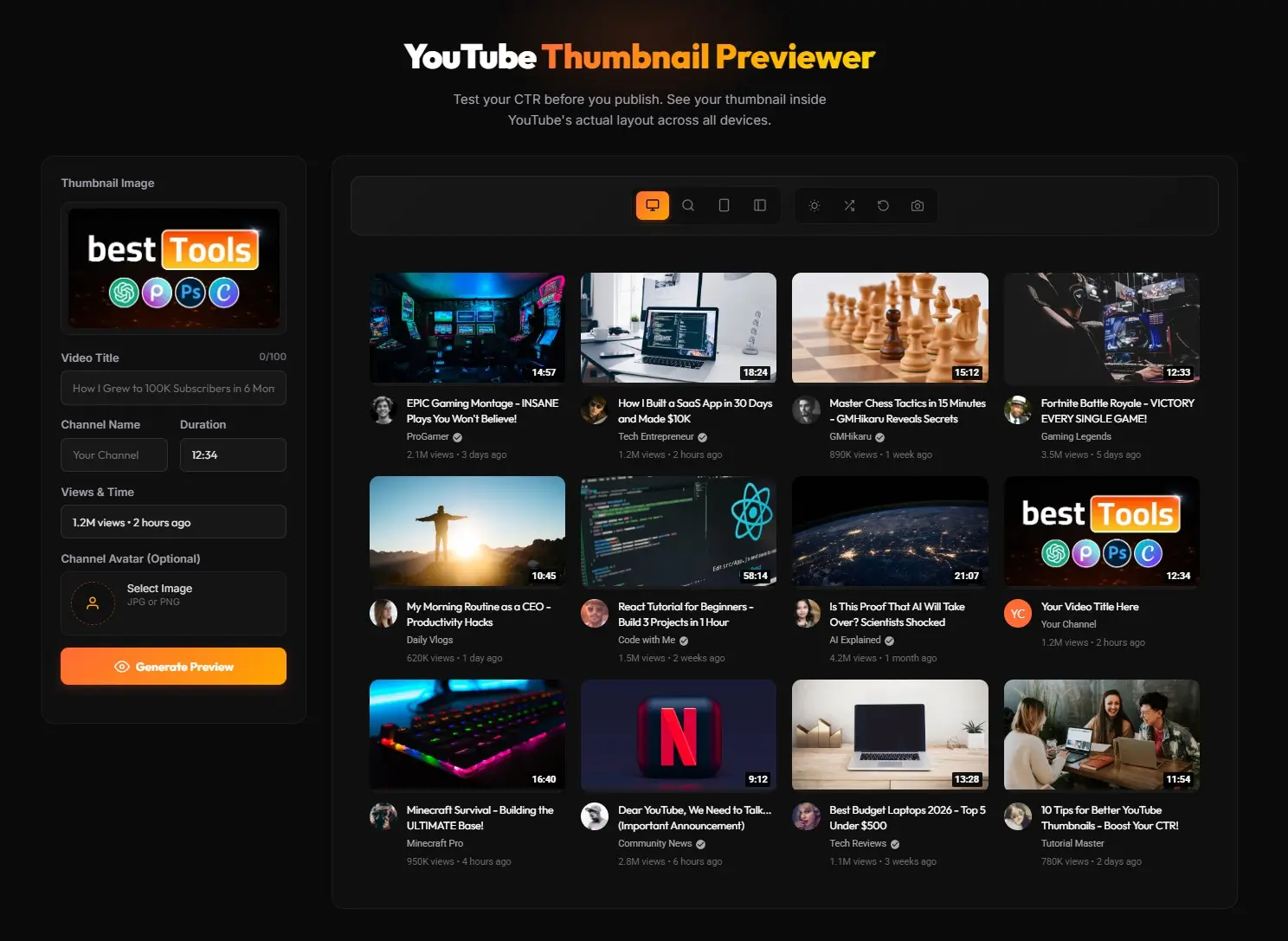
2. YouTube Thumbnail Previewer — Test Before You Upload
Try the YouTube Thumbnail Previewer →
Ever uploaded a thumbnail only to realize it looks terrible on mobile? Our previewer shows you exactly how your thumbnail will appear across every YouTube surface — before you publish.
| Feature | Details |
|---|---|
| Preview Modes | Desktop feed, Mobile feed, Search results, Suggested sidebar |
| Theme Support | Light mode & Dark mode |
| Comparison | See your thumbnail alongside real YouTube videos |
| File Types | JPG, PNG, WebP |
| Price | Free forever |
Why this tool is essential:
- 70% of YouTube watch time happens on mobile — your thumbnail MUST be readable at small sizes
- Dark mode users see your thumbnail differently — test both appearances
- What looks great in Photoshop might disappear in a crowded YouTube feed
The #1 mistake creators make: Designing thumbnails on a large monitor without checking how they look as a tiny 168×94px mobile tile. Our previewer catches this instantly.
3. YouTube Thumbnail Compressor — Optimize Without Quality Loss
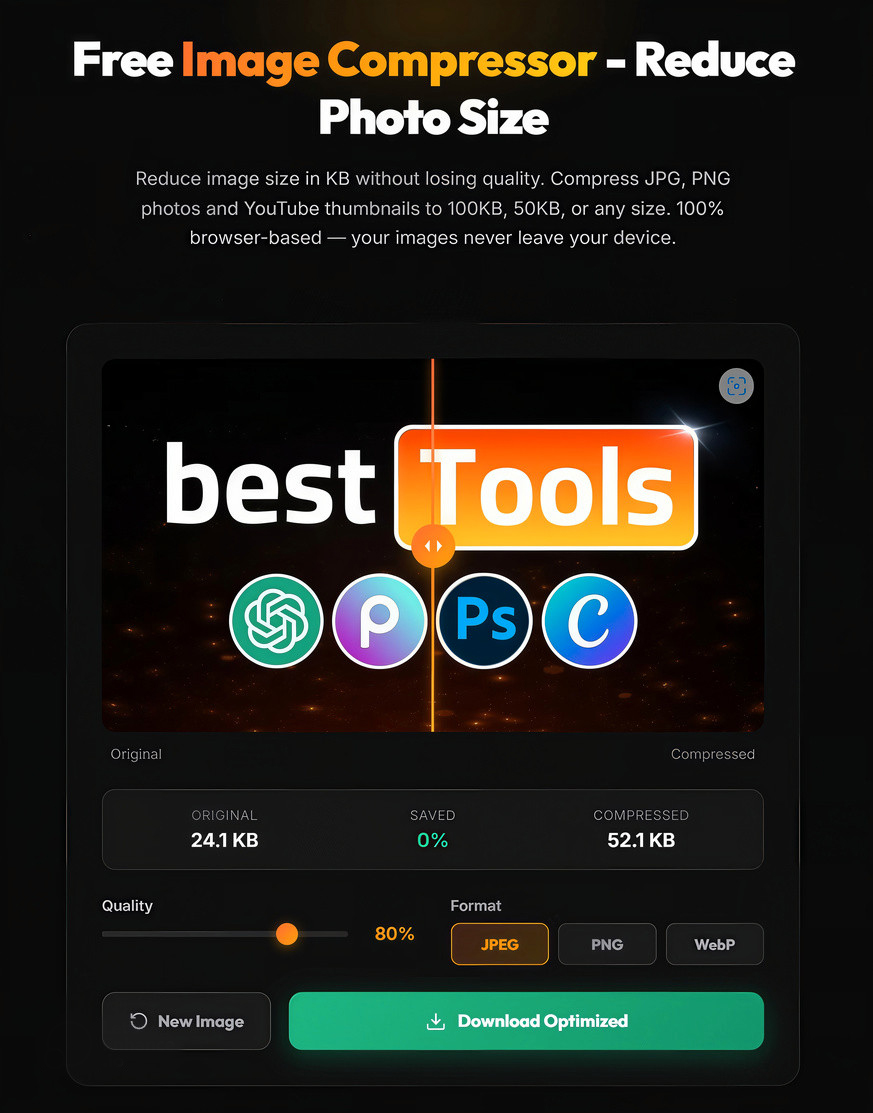
Try the YouTube Thumbnail Compressor →
YouTube rejects thumbnail files larger than 2MB — and even if yours is under the limit, smaller files upload faster and load quicker for viewers. Our compressor reduces file size while preserving visual quality.
| Feature | Details |
|---|---|
| Compression | Smart algorithm preserves visual quality |
| Target | Under 2MB (YouTube’s requirement) |
| Format Support | JPG, PNG |
| Batch Processing | Multiple files at once |
| Price | Free forever |
When you need this tool:
- Your design software exports files over 2MB (common with Photoshop PSD → PNG)
- You want faster upload speeds
- You need to optimize thumbnails for website embedding or social sharing
4. YouTube Thumbnail Grabber — Quick Extract from Any Video
Try the YouTube Thumbnail Grabber →
Our lightweight thumbnail grabber provides a fast, simplified way to extract thumbnails from any YouTube video. Just paste the URL and grab the image — perfect for quick saves when you don’t need multiple quality options.
| Feature | Details |
|---|---|
| Input | YouTube video URL |
| Output | Direct thumbnail image |
| Speed | Instant extraction |
| Interface | Minimal, zero-clutter design |
| Price | Free forever |
Best used for:
- Quick thumbnail grabs when you need it fast
- Lightweight alternative when you know the quality you need
- Rapid-fire competitive research sessions
The Touhfa Thumbnail Workflow: All 4 Tools Together
Here’s how professional creators combine our free tools into a complete thumbnail optimization workflow:
Step 1: Research (Thumbnail Downloader + Grabber)
  → Download competitor thumbnails for inspiration
      ↓
Step 2: Design (Canva, Photoshop, or AI Tool)
  → Create your thumbnail using proven patterns
      ↓
Step 3: Preview (Thumbnail Previewer)
  → Test across desktop, mobile, dark/light modes
      ↓
Step 4: Optimize (Thumbnail Compressor)
  → Compress to under 2MB without quality loss
      ↓
Step 5: Upload & Test (YouTube Studio)
  → Use YouTube's Test & Compare for A/B testing
Result: Creators using this full workflow report 15-30% increases in click-through rate within the first month.
Best YouTube Thumbnail Design Tools (2026)
Once you’ve researched your competitors and planned your design, you need software to create the actual thumbnail. Here are the best options for every skill level:
Top Design Tools Compared
| Tool | Best For | Free Tier | Paid Price | Difficulty |
|---|---|---|---|---|
| Canva | Beginners & templates | ✅ Generous | $15/mo | Easy |
| Adobe Express | Brand consistency | ✅ Limited | $10/mo | Easy |
| Photoshop | Maximum creative control | ❌ No | $23/mo | Advanced |
| Snappa | Speed & simplicity | ✅ 5 downloads/mo | $15/mo | Easy |
| Fotor | Photo enhancement | ✅ Basic | $9/mo | Easy |
Canva — Best for Most Creators
Canva remains the industry standard for YouTube thumbnail creation in 2026. With thousands of pre-built 1280×720 templates, drag-and-drop editing, and a massive stock photo library, it’s the fastest path from idea to finished thumbnail.
Why creators choose Canva:
- YouTube-specific templates with trending design styles
- One-click background removal (Pro feature)
- Brand kit for consistent channel identity
- Collaboration features for teams
Best free alternative for… beginners who want professional results without learning Photoshop.
Photoshop — Best for Professional Control
If you need pixel-perfect control, layer-based editing, and advanced compositing, Photoshop is still unmatched. The learning curve is steep, but the creative ceiling is unlimited.
Worth it if:
- You create 10+ thumbnails per month
- Your thumbnails involve complex photo manipulation
- You need advanced text effects and gradients
Adobe Express — Best for Teams
Adobe Express bridges the gap between Canva’s simplicity and Photoshop’s power. Its standout feature is branded templates that keep your team’s thumbnails consistent.
Snappa — Best for Speed
Snappa is built for creators who need thumbnails fast. Fewer features than Canva, but the streamlined interface means less decision paralysis.
Fotor — Best for Photo Enhancement
If your thumbnails rely heavily on photos and headshots, Fotor’s one-click enhancement tools and AI retouching can dramatically improve your source images before you add text overlays.
AI YouTube Thumbnail Generators (2026)
AI tools are revolutionizing thumbnail creation. While they haven’t replaced human designers for CTR optimization, they’re excellent for rapid prototyping and inspiration.
AI Tools Compared
| Tool | Specialty | Free Tier | Paid Price |
|---|---|---|---|
| Pikzels AI | Full auto-generation from video | Limited credits | $1-120/mo |
| Juma | Text prompt → thumbnail | Limited | $20/mo |
| Canva Magic Studio | AI-powered design inside Canva | ✅ Credits included | Included in Pro |
| AKOOL | 8K batch generation | Limited | $30/mo |
| vidIQ AI | Video-analysis based suggestions | Limited | $10/mo |
| VEED.io | Quick AI edits & backgrounds | ✅ Basic | $18/mo |
| Fliki | Automated thumbnail + video | Limited | $28/mo |
| Visme | Data-driven templates | ✅ Basic | $15/mo |
When AI Tools Make Sense
✅ Good for:
- Generating 5-10 thumbnail concepts in minutes
- AI background generation and removal
- Quick prototyping before investing in a final design
- Creators who publish daily and need speed
❌ Not ideal for:
- Final production-ready thumbnails (human touch still wins for CTR)
- Highly branded content that requires exact style matching
- Thumbnails that rely on specific facial expressions
Our recommendation: Use AI to generate initial concepts, then refine the best one manually. This hybrid approach saves time while maintaining quality.
YouTube Thumbnail Testing & Optimization Tools
Creating a great thumbnail is only half the battle. Testing what actually gets clicks is where the real optimization happens. For a complete methodology covering every testing method, benchmarks, and step-by-step workflows, see the YouTube Thumbnail A/B Testing: Complete 2026 Guide.
Testing Tools Compared
| Tool | A/B Testing | CTR Tracking | Integration | Price |
|---|---|---|---|---|
| YouTube Studio (Test & Compare) | ✅ Up to 3 variants | ✅ Native analytics | Built-in | Free |
| TubeBuddy | ✅ Advanced split testing | ✅ Dashboard + alerts | Browser extension | $9-49/mo |
| VidIQ | ✅ Basic comparison | ✅ Analytics suite | Browser extension | $10-50/mo |
| Thumbnail Test | ✅ Unlimited variants | ✅ Real-time tracking | Standalone | $29/mo |
| Thumbly | ✅ Deep statistical testing | ✅ Detailed reports | Standalone | $29/mo |
Start with YouTube Studio (It’s Free)
YouTube’s Test & Compare feature lets you upload up to 3 thumbnail variants for the same video. YouTube automatically serves different versions to different viewers and reports which one performs best. It’s free, it’s built-in, and it uses real data.
Level Up with TubeBuddy
When you outgrow YouTube Studio’s basic testing, TubeBuddy offers advanced A/B testing with more variants, historical tracking, and actionable insights. At $9/month, it’s the best value upgrade for growing channels.
Mobile Thumbnail Creation Apps
Need to create thumbnails on the go? These mobile apps deliver surprisingly professional results:
| App | Platform | Best For | Price |
|---|---|---|---|
| Canva App | iOS & Android | Full-featured design | Free / $15/mo |
| PicsArt | iOS & Android | Creative photo effects | Free / $13/mo |
| Thumbnail Maker | iOS & Android | YouTube-specific templates | Free |
| Promeo | iOS & Android | Video-style templates | Free / $7/mo |
| Pixlr | iOS & Android | Quick photo editing | Free / $5/mo |
| VistaCreate | iOS & Android | Animated thumbnails | Free / $13/mo |
Mobile Workflow for Creators
- Capture your photo/screenshot
- Edit in PicsArt (enhance, remove background)
- Design in Canva App (add text, branding)
- Preview with Touhfa Previewer (check mobile appearance)
- Compress with Touhfa Compressor (optimize file size)
- Upload via YouTube Studio mobile

Essential Browser Extensions for Thumbnails
These Chrome extensions enhance your thumbnail workflow directly in your browser:
| Extension | Function | Price |
|---|---|---|
| TubeBuddy | A/B testing, SEO, thumbnail analytics | Free-$49/mo |
| VidIQ | Competitive analysis, thumbnail previews | Free-$50/mo |
| Thumbnail Boss | Preview thumbnails in live YouTube feeds | Free |
| YouTube Thumbnail Hunter | Thumbnail effects and experiments | Free |
Our pick: Install Thumbnail Boss (free) for context testing alongside TubeBuddy for analytics. Both work great together.
Complete Category Comparison
Here’s the big picture — the best tool in each category at a glance:
| Category | Best Free Option | Best Paid Option | Our Top Pick |
|---|---|---|---|
| Download | Touhfa Downloader | — | Touhfa Downloader |
| Preview | Touhfa Previewer | — | Touhfa Previewer |
| Compress | Touhfa Compressor | — | Touhfa Compressor |
| Grab | Touhfa Grabber | — | Touhfa Grabber |
| Design | Canva Free | Photoshop ($23/mo) | Canva |
| AI Generation | Canva Magic Studio | Pikzels ($20/mo) | Canva Magic |
| A/B Testing | YouTube Studio | TubeBuddy ($9/mo) | YouTube Studio → TubeBuddy |
| Mobile | Canva App | PicsArt Pro ($13/mo) | Canva App |
| Extensions | Thumbnail Boss | TubeBuddy Pro | TubeBuddy Free |
Free vs Paid: How Much Should You Spend?
The Free Stack (Covers 80% of Needs)
Most creators can get professional-quality results without spending a dollar:
- ✅ Download thumbnails → Touhfa Downloader
- ✅ Preview thumbnails → Touhfa Previewer
- ✅ Compress thumbnails → Touhfa Compressor
- ✅ Grab thumbnails quickly → Touhfa Grabber
- ✅ Design thumbnails → Canva Free
- ✅ A/B test thumbnails → YouTube Studio Test & Compare
Total cost: $0/month
When Paid Tools Are Worth It
| Monthly Revenue | Recommended Investment | Tools to Add |
|---|---|---|
| Under $100/mo | $0 — free stack is enough | None |
| $100-500/mo | $9-15/mo | TubeBuddy or Canva Pro |
| $500-2000/mo | $24-40/mo | Canva Pro + TubeBuddy Pro |
| $2000+/mo | $50-70/mo | Photoshop + TubeBuddy + AI tool |
ROI Rule of Thumb
Paid thumbnail tools are worth it when a 1% CTR improvement would generate more monthly revenue than the tool costs. For most channels earning $500+/month, even a $49 tool pays for itself many times over.
Recommended Tool Stacks by Creator Level
Beginner Stack — $0/month
| Step | Tool | Cost |
|---|---|---|
| Research | Touhfa Downloader + Grabber | Free |
| Design | Canva Free | Free |
| Preview | Touhfa Previewer | Free |
| Optimize | Touhfa Compressor | Free |
| Test | YouTube Studio Test & Compare | Free |
Perfect for: New channels, hobby creators, budget-conscious YouTubers
Growing Creator Stack — $24/month
| Step | Tool | Cost |
|---|---|---|
| Research | Touhfa Downloader + Grabber | Free |
| Design | Canva Pro | $15/mo |
| Preview | Touhfa Previewer | Free |
| Optimize | Touhfa Compressor | Free |
| Test | TubeBuddy Pro | $9/mo |
Perfect for: Channels with 1K-100K subscribers actively growing
Professional Stack — $72/month
| Step | Tool | Cost |
|---|---|---|
| Research | Touhfa Downloader + Grabber | Free |
| Design | Adobe Photoshop | $23/mo |
| AI Assist | Pikzels AI | $20/mo |
| Preview | Touhfa Previewer | Free |
| Optimize | Touhfa Compressor | Free |
| Test | Thumbnail Test | $29/mo |
Perfect for: Full-time creators, agencies, channels with 100K+ subscribers
YouTube Thumbnail Specifications (2026)
Before you start creating, make sure you know the requirements:
| Specification | Requirement |
|---|---|
| Resolution | 1280 × 720 pixels (minimum) |
| Aspect Ratio | 16:9 |
| File Size | Under 2MB |
| Formats | JPG, GIF, PNG (JPG recommended) |
| Minimum Width | 640 pixels |
Tip: Always design at 1920 × 1080 or higher, then use our Thumbnail Compressor to optimize the file size. This ensures maximum quality at every display size.
Frequently Asked Questions
What is the best free YouTube thumbnail tool?
The best free YouTube thumbnail toolkit is the Touhfa Tools Suite, which includes a Thumbnail Downloader, Thumbnail Previewer, Thumbnail Compressor, and Thumbnail Grabber. For design, Canva Free is the best option. For A/B testing, YouTube Studio’s Test & Compare is built-in and free.
What size should a YouTube thumbnail be?
YouTube thumbnails should be 1280 × 720 pixels with a 16:9 aspect ratio. The file must be under 2MB in JPG, PNG, or GIF format. For best results, design at 1920 × 1080 and compress with our free Thumbnail Compressor.
How can I download someone’s YouTube thumbnail?
Use the Touhfa YouTube Thumbnail Downloader — paste any YouTube video URL and download the thumbnail in HD or 4K quality instantly. No registration required, completely free.
How do I preview my thumbnail before uploading?
Use the Touhfa YouTube Thumbnail Previewer to see exactly how your thumbnail will look on desktop, mobile, search results, and suggested videos. You can test in both light and dark mode to ensure readability everywhere.
How do I compress a YouTube thumbnail under 2MB?
Upload your thumbnail to the Touhfa Thumbnail Compressor. It uses smart compression to reduce file size below YouTube’s 2MB limit while preserving visual quality. Supports JPG and PNG formats.
Do thumbnails really affect YouTube views?
Yes — significantly. YouTube’s algorithm uses click-through rate (CTR) as a major ranking signal. Professional-quality custom thumbnails consistently outperform auto-generated ones. Studies show custom thumbnails can increase CTR by 30% or more, directly leading to more views and higher revenue.
What’s the best AI thumbnail generator in 2026?
Pikzels AI leads for full auto-generation, while Canva Magic Studio offers the best integration with a design tool you may already use. However, AI-generated thumbnails still perform best when refined by a human creator for maximum CTR.
Is Canva good enough for YouTube thumbnails?
Absolutely. Canva is used by millions of YouTube creators and offers YouTube-specific templates at 1280×720 resolution. The free tier is generous enough for most creators, and Canva Pro ($15/mo) adds background removal, brand kits, and premium templates that significantly speed up the design process.
Start Creating Better Thumbnails Today
You don’t need expensive software or complicated workflows to create thumbnails that get clicks. Our free Touhfa tools handle the technical side — downloading, previewing, compressing, and grabbing thumbnails — so you can focus on what matters: creating designs that make people click.
Your next steps:
- 📥 Download competitor thumbnails — Study what’s working in your niche
- 🎨 Design your thumbnail — Use Canva Free or your preferred design tool
- 👁️ Preview across devices — Make sure it looks great everywhere
- 📦 Compress for upload — Optimize file size without quality loss
- 🧪 Test & iterate — Use YouTube Studio’s Test & Compare feature
All Touhfa tools are free. No registration. No limits.