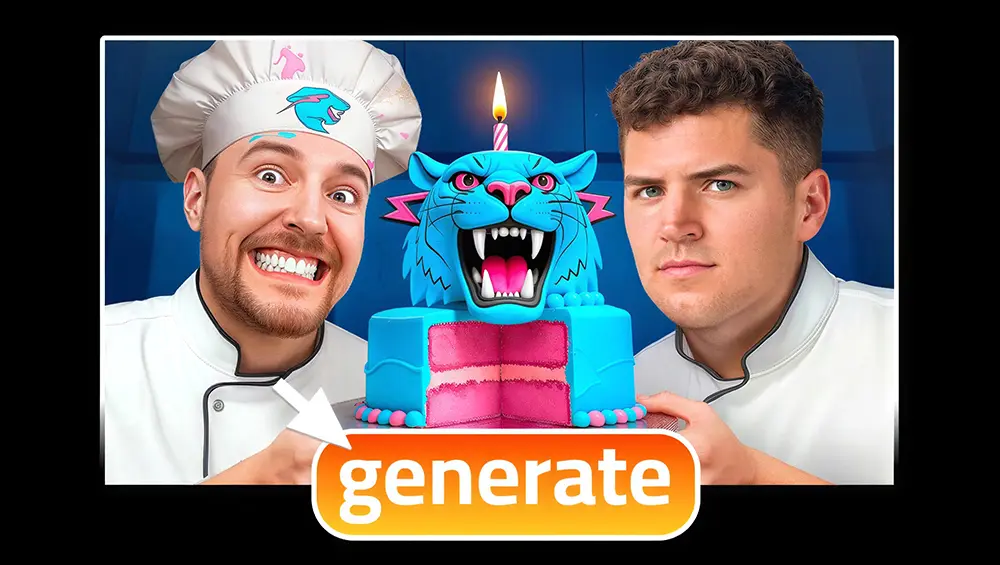
AI Thumbnail Maker: 15 Best Tools to Generate YouTube Thumbnails
Your thumbnail has 0.3 seconds. That is the entire window a human brain needs to decide whether your video is worth clicking - or worth scrolling past forever.
And the numbers tell a brutal story:
720,000 hours of video are uploaded to YouTube every single day. Your thumbnail is not competing against ten other creators in your niche. It is competing against every piece of visual content the algorithm decides to surface in the same feed, at the same moment, on the same screen. A traditional manual workflow - 15 to 45 minutes per image in Photoshop, or $50 to $100 per asset outsourced to a freelance designer - is no longer a viable production model for creators who publish more than once a week.
But here is what changed everything:
In 2026, AI thumbnail generators stopped being experimental toys and became the default production pipeline for professional creators. These platforms use advanced latent diffusion models, multimodal AI architectures, and predictive analytics to generate, test, and optimize visual assets in seconds - not hours. The best tools now achieve up to 94% text-rendering accuracy, handle complex facial expressions, and even understand cinematic camera angles and shot composition well enough to frame subjects with professional-grade depth and perspective.
The result? Channels using AI-optimized, multi-variant thumbnails report CTR improvements of 30% to 154%. Not minor gains. Transformational shifts in algorithmic reach.
We tested 15 of the best AI thumbnail makers on the market - from free tools to enterprise-grade generators - and ranked them based on output quality, text accuracy, speed, pricing, and real-world usability. Below is the complete breakdown.
What Is an AI Thumbnail Maker?
An AI thumbnail maker is an automated or semi-automated generative design engine engineered specifically to eliminate the production bottleneck between filming and publishing. These platforms process contextual inputs - video URLs, raw transcripts, or targeted text prompts - and generate high-contrast, structurally optimized images that adhere to the visual syntax of successful digital media.
The 2026 marketing architecture dictates that content production must be AI-native, not merely AI-assisted. This means connecting creator intelligence to content generation and audience analytics in a single, compounding intelligence loop that responds to algorithmic signals within hours rather than financial quarters.
How AI Thumbnail Generators Actually Work
Modern AI thumbnail generators have evolved significantly from early iterations that relied on superficial keyword associations. A functional generator in 2026 does not simply interpret a video title - it analyzes the intended demographic, the target emotional resonance, and the precise compositional framing required for mobile readability.
The generation pipeline begins with a textual or multimodal prompt. The AI model translates this into a mathematical representation within a latent space, iteratively refining visual noise into a coherent, high-fidelity output. Advanced platforms handle complex spatial requirements automatically, including strict 16:9 aspect ratio constraints for standard videos, 9:16 for YouTube Shorts, and safe-area mapping to ensure critical elements are not obscured by YouTube’s native timestamp overlays or mobile interfaces.
Specialized modules incorporate facial detection networks that automatically isolate human subjects, brighten the sclera of eyes, exaggerate expressions of shock or curiosity, and manage ambient lighting and color temperature to integrate generated elements hyper-realistically with photographic base layers.

AI-Generated vs Human-Designed Thumbnails: Quality Comparison
The qualitative gap between AI-generated and human-designed thumbnails has narrowed to indistinguishability in many niches.
| Factor | Human-Designed | AI-Generated |
|---|---|---|
| Brand consistency | Excellent - precise control | Good - requires prompt engineering |
| Iteration speed | 2-3 variants per hour | 6-12 variants per minute |
| Ideation breadth | Limited by designer’s biases | Infinite visual variability |
| Typography accuracy | Perfect | Up to 94% (varies by model) |
| CTR improvement | Baseline | +30% to +154% with multivariate testing |
| Cost per asset | $50-$100 freelance | $0-$0.50 per generation |
Videos utilizing optimized, multi-variant custom thumbnails experience click-through rate improvements ranging from 30% to 154%. The contemporary consensus is clear: the highest quality output is a hybrid approach where AI handles high-velocity conceptualization and background generation, while human oversight manages final editorial refinement and brand alignment.
Best AI Thumbnail Makers: Full Comparison Table
| Rank | Platform | Core Capability | Starting Price | Best Use Case | Rating |
|---|---|---|---|---|---|
| 1 | Nano Banana | Gemini 3.1 text-to-image, 94% text accuracy | Free (20 credits) / $5.99/mo | Prompt-to-image with batch editing | 5.0/5 |
| 2 | ChatGPT (GPT Image) | Conversational prompt-based creation | Free (limited) / $20/mo Plus | Rapid conversational prompt execution | 5.0/5 |
| 3 | Google AI Studio | Gemini native image generation | Free | Direct Google AI image generation | 5.0/5 |
| 4 | PostEverywhere | All-in-one generation + scheduling | $19/mo | Cross-platform content syndication | 4.5/5 |
| 5 | Thumbnail Test AI | Unlimited real-time A/B/C/D/E testing | $24/mo | Statistical validation of variants | 4.5/5 |
| 6 | Canva | Template editor + Magic Design AI | Free / $15/mo Pro | Template-driven agency workflows | 4.5/5 |
| 7 | Adobe Express | Firefly AI + Adobe ecosystem | Free (25 AI credits) / $9.99/mo | Commercial safety and IP protection | 4.5/5 |
| 8 | Midjourney v7 | High-fidelity artistic generation | $10/mo Basic | Cinematic scenes and artistic quality | 4.5/5 |
| 9 | Pikzels | Prompt-first AI (no templates) | $20/mo | YouTube-specific prompt ideation | 4.5/5 |
| 10 | Leonardo.ai | Generative models with parameter control | Free (150 tokens/day) / $12/mo | Free generation with structural control | 4.0/5 |
| 11 | Fotor | Photo editor + portrait enhancement AI | Free / $8.99/mo Pro | Vlogs requiring face smoothing | 4.0/5 |
| 12 | Grok AI | Grok Imagine text-to-image via X | X Premium | Cross-platform X/YouTube creators | 4.0/5 |
| 13 | Thumbmagic | Video-first AI (analyzes video URL) | Free tier | High-frequency uploads and A/B testing | 3.5/5 |
| 14 | vidIQ | Analytics suite + AI generation (150 AI credits/mo free) | Free / Boost (paid) | Thumbnails integrated into SEO strategy | 3.5/5 |
| 15 | TubeBuddy | Frame editor + A/B testing suite | Free / ~$27/mo Legend | Performance tracking and rotation | 3.5/5 |
Image Generation AI Tools (Text-to-Thumbnail)
Prompt-first image generation models represent the foundational layer of contemporary digital asset creation. Rather than relying on stock imagery or rigid templates, these platforms synthesize entirely novel compositions from semantic instructions, offering infinite visual variability.
Nano Banana - Best AI for Text-to-Image Accuracy
Nano Banana represents the specialized deployment of Google’s highly advanced Gemini 2.5 and Gemini 3.1 Flash Image architectures. It distinguishes itself through blistering generation speeds and a peerless 94% text-rendering accuracy rate - the highest in the market.
The platform’s onboarding is frictionless: it provides 20 free computational credits immediately upon sign-up, allowing users to execute complex tasks without a credit card. Its capabilities include:
- Prompt-to-image generation with native typography
- Multi-image blending for composite thumbnails
- Strict character consistency - maintain the exact visual identity of a character or mascot across multiple videos
- Natural language object removal - issue text commands to remove or replace objects without manual masking
- SynthID watermarking - all generated images carry cryptographic provenance markers for copyright verification
For users requiring higher volume, paid tiers begin at $5.99 for Starter and $11.99 for Professional usage.
[!TIP] Nano Banana’s 94% text accuracy means you can generate thumbnails with bold, legible text directly baked into the image - no Photoshop text layer needed. This alone saves 5-10 minutes per thumbnail.
DALL-E 3 and ChatGPT Thumbnail Workflow
The integration of GPT Image within ChatGPT provides a highly accessible, conversational approach to thumbnail generation. The free tier allows limited image generation (approximately 2-3 images per day), while ChatGPT Plus at $20/month unlocks significantly higher volume and priority access. Instead of rigid, comma-separated parameter strings, creators dictate specifications in natural language.
The model demonstrates robust adherence to complex compositional instructions. Users can specify: “generate a 16:9 aspect ratio image, position the main subject on the right third to avoid mobile UI overlays, and apply high-contrast neon lighting.”
The key advantage: if the initial output misses the mark, simply reply with refinement requests like “make the background darker” or “change the lighting to neon blue.” This iterative, conversational loop is faster than any node-based design software.
Google AI Studio - Free Gemini Image Generation
Google AI Studio provides direct access to Google’s Gemini models for image generation at zero cost. For creators already within the Google ecosystem, this is the fastest path to high-quality AI thumbnails without any subscription overhead.
The same Gemini architecture that powers Nano Banana is accessible here, though with a more developer-oriented interface. Ideal for technical creators who want maximum control over generation parameters.
Midjourney for YouTube Thumbnails
Midjourney v7 remains the preeminent tool for high-fidelity, artistic image generation. Starting at $10/month, it is the platform of choice for professional designers requiring cinematic lighting, complex texturing, and surreal visual metaphors.
Midjourney excels at generating “extreme opposites” for A/B testing - a hyper-detailed emotional close-up followed immediately by a sprawling wide-angle environmental shot. While it remains less proficient at native typography than Nano Banana or Ideogram, its unparalleled aesthetic quality makes it the preferred engine for generating foundational visual layers that are subsequently refined in compositing software.

Ideogram.ai - Best AI for Text in Thumbnails
Ideogram 3.0 has established itself as the definitive leader in native typography generation. For content verticals where large, bold text is required directly within the generative layer - meme channels, financial explainers, news commentary - Ideogram offers unparalleled typographic accuracy. Unlike traditional models that merely attempt to draw text-like shapes, Ideogram natively understands kerning, font weight distributions, and typographic hierarchy, blending legible text into environmental lighting and perspective.
Leonardo.ai and Stable Diffusion
Leonardo.ai provides a robust interface for users requiring granular control over the diffusion process. The free tier provides 150 fast tokens daily, while paid plans start at $12/month (Apprentice) with 8,500 monthly tokens. Leonardo leverages fine-tuned Stable Diffusion architectures. It is particularly favored by technical creators who use ControlNet - uploading a structural skeleton or depth map to force the AI to generate images matching the exact composition of a reference, ensuring strict safe-zone adherence for YouTube’s interface overlays.
Flux.ai
Developed by Black Forest Labs, the Flux 2 Pro model has emerged as the standard for photorealism in 2026. By prioritizing realistic lighting physics, precise anatomical rendering (particularly hands and facial micro-expressions), and flawless textural details, Flux eliminates the “uncanny valley” aesthetic that plagued earlier AI generations. Its API integration into broader creative suites allows enterprise teams to utilize its photorealistic outputs alongside traditional stock assets in a unified workspace.
Grok AI and Grok Imagine
The Grok AI platform has aggressively entered image generation via its Grok Imagine suite. Integrated into X Premium membership, Grok provides a distinct advantage for omni-channel creators. Because a YouTube thumbnail often serves dual purposes as an X-post visual hook or LinkedIn banner, Grok allows native generation within the social ecosystem. Its primary utility lies in rapid, unfiltered ideation - pushing the boundaries of surreal, humorous, or culturally immediate visual concepts.
AI Thumbnail Enhancement Tools (Photo-to-Better-Photo)
Complete generative synthesis is not always required. A significant portion of professional workflows relies on “photo-to-better-photo” enhancement - using AI to isolate, polish, and mathematically enhance existing photographic assets.
Remove.bg - Background Removal
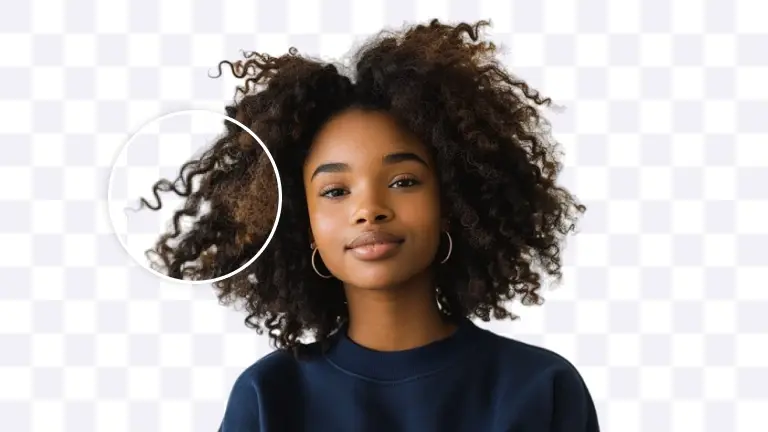
Analytics of top-performing channels indicate that high-converting thumbnails invariably focus on a single clear subject. Remove.bg and similar tools use advanced edge-detection neural networks to execute flawless background removal in milliseconds - including complex subjects with hair and transparent materials. This allows creators to extract a subject from a mundane room and composite them onto an AI-generated, psychologically engaging environment.
Topaz AI - Upscaling Low-Res Thumbnails
When creators extract still frames from 1080p or 4K video files, the resulting images frequently suffer from motion blur or compression artifacts. Topaz AI uses machine learning models to infer missing pixel data, reconstructing edges and synthesizing realistic textures to transform a low-quality frame into a crisp asset suitable for both mobile and desktop displays.
Cleanup.pictures - Object Removal
Visual clutter degrades algorithmic performance by increasing cognitive load. Cleanup.pictures and similar inpainting tools allow creators to eliminate extraneous background elements with a single brush stroke. Nano Banana extends this capability to natural language - users issue simple text commands to instantly remove or replace specific objects without manual masking.
AI Color Grading and Face Enhancement
Human faces displaying strong emotions act as the most potent biological hooks for visual attention. Fotor specializes in portrait enhancement - automatically smoothing skin textures, optimizing directional lighting, and brightening eye sclera for immediate psychological engagement.
Data-backed color guidelines for thumbnails:
| Color Strategy | Effect | Best For |
|---|---|---|
| Warm tones (yellow, orange, red) | Conveys urgency and excitement | Challenge and entertainment content |
| Cyan + yellow combination | High-CTR general-purpose palette | Most niches |
| Dark background + neon accents | Industry standard for tech/gaming | Gaming, technology, science |
| High contrast foreground/background | Maximizes mobile visibility | All niches |
For a detailed face retouching workflow, see the MrBeast Thumbnail Face Effect Tutorial.
Free AI Thumbnail Generators (No Credit Card)
Canva AI (Magic Design)
Canva maintains an ironclad position as the preeminent template-driven design platform. It offers thousands of YouTube-specific templates across every conceivable niche. Its Magic Design AI functions as a text-to-thumbnail complement to the traditional drag-and-drop editor. While generation speeds average 15 to 20 seconds (slower than dedicated point-solutions), Canva provides an unmatched library of chart widgets, typography layouts, and vector assets. The free tier is substantial, though Pro elements carry watermarks unless you upgrade to Canva Pro at $15/month (or $10/month billed annually).
Microsoft Designer
Microsoft Designer has captured significant market share by leveraging its DALL-E 3 backend. Accessible via Microsoft accounts at zero cost, it marries capable text-to-image generation with an intuitive template engine. A creator can ask the AI to “generate a thumbnail for a personal finance video about saving money, featuring a green upward trending arrow,” and the platform instantly synthesizes the image, applies typography, and formats to 16:9. Optimal for non-technical creators who need polished results without a learning curve.
NanoBanana AI Thumbnail Maker
Nano Banana provides 20 free computational credits upon sign-up - no credit card required. Running on Google’s Gemini 3.1 Flash architecture, it delivers the highest text-rendering accuracy (94%) of any free tool. Features include prompt-to-image, multi-image blending, character consistency across videos, and SynthID watermarking for copyright verification.
For serious creators, paid tiers at $5.99 (Starter) and $11.99 (Professional) unlock higher volume.
YouTube-Specific AI Thumbnail Tools
TubeBuddy AI Thumbnail Scorer
TubeBuddy operates as a frame editor coupled with a deep analytics engine. Rather than generating synthetic imagery, it empowers creators to pull high-quality frames from uploaded videos, then overlay text and branding. Its AI-powered Thumbnail Analyzer uses predictive visual heatmaps trained on millions of viewer eye-tracking data points to simulate where attention gravitates within the frame.
TubeBuddy employs sequential A/B testing - automatically rotating thumbnails on a schedule and measuring performance to identify statistical winners. Full A/B testing requires the Legend tier at approximately $27/month.
VidIQ Thumbnail Generator
vidIQ offers a data-driven approach integrated into one of the industry’s most ubiquitous growth suites. The AI generates base images from video content, text prompts, or by analyzing competing video URLs. The free tier includes 150 AI credits per month, while the Boost plan unlocks 2,000 monthly credits and advanced features. vidIQ provides holistic channel analytics alongside its visual generators - though it lacks the instant live A/B testing of dedicated platforms.
Thumbnail Test AI
Thumbnail Test is a dedicated real-time statistical validation engine. Built for creators demanding quantitative data, it allows unlimited A/B, C, D, and E testing of thumbnails and titles on rapid hourly or daily intervals.
Priced between $24/month (Basic) and $75/month (Business), documented case studies show instances where deploying a winning variant propelled a stagnant video from 15,000 to over 120,000 views almost immediately.
AI Thumbnail Prompt Engineering: 20 Proven Prompts
The quality of AI visual output is entirely dependent on the specificity of the input. When creators encounter generic, “stock-photo-looking” outputs, the failure is almost universally in the prompt, not the model.
Prompt Structure for YouTube Thumbnails
| Parameter | Definition | Optimization Strategy |
|---|---|---|
| Subject Clarity | Primary focal point | State explicitly and position in frame center |
| Lighting Direction | Psychological mood | Specify precisely: “studio lighting”, “neon glow”, “golden hour” |
| Color Palette | Feed visibility | Command high-contrast schemes: “bright yellow background”, “cyan and yellow” |
| Composition Style | Processing speed | Use explicit framing: “extreme close-up”, “bird’s eye view” |
| Background Context | Narrative without clutter | Specify “bokeh” or “shallow depth of field” to blur backgrounds |
| Emotional Tone | Stylistic modifier | Use strong adjectives: “dramatic”, “intense”, “cheerful” |
Style Keywords That Work

Gaming and Entertainment:
- Epic Boss Fight Moment - dramatic lighting, immense scale discrepancy between player and antagonist
- Shocked Gamer Reaction - “Shocked gamer at desk with RGB keyboard, mouth open, screen showing explosion, purple and blue neon lighting, dark room with LED strips, close-up framing”
- Game Review / Unboxing - clean, minimalist, object-focused design
- Reaction Video - extreme facial close-ups filling 70% of frame, split-screen composition
- Movie or Show Review - “Cozy home theater, large screen showing dramatic scene, person with popcorn in foreground, warm ambient lighting, screen glow”
Food and Culinary:
- Recipe Showcase - “Close-up of golden crispy fried chicken on wooden cutting board, steam rising, warm kitchen lighting, bright yellow background, shallow depth of field”
- Taste Test / Food Challenge - extreme facial expressions of shock or intense delight
- Baking Tutorial - warm color temperatures, soft overhead composition, high texture detail
- Meal Prep - top-down grid layouts, colorful ingredients against clean surfaces
Lifestyle and Travel:
- Destination Reveal - epic wide cinematic scenes, vivid hyper-real saturation, microscopic human subjects for scale
- Travel Guide - subject pointing at recognizable landmark, golden hour lighting
- Hidden Gem / Secret Spot - mysterious low-key lighting with single vibrant focal point
- Day in My Life (Vlog) - “Person on bright colorful couch, animated hand gesture, living room with plants, cheerful expression, soft coral or yellow background wall, medium shot”
- Story Time - cozy intimate lighting, direct unbroken eye contact
Education, Finance and Tech:
- Life Update - softer emotional tension, clean minimalist backgrounds
- Product Review - high-contrast background, product sharpened and separated in foreground
- How-To Tutorial - split-screen: frustrating problem on left, satisfying solution on right
- Before and After - high structural contrast between left and right hemispheres, visual arrows
- Workout Routine - intense directional gym lighting, low-angle heroic framing
- Money Tips - “Clean desk with laptop showing green upward graph, growing stack of coins, bright white workspace, minimalist, professional mood, slight overhead angle”
Negative Prompts to Avoid Bad Results
Common prompt engineering failures to avoid:
- Being too vague - “tech review thumbnail” deprives the AI of necessary constraints, yielding generic stock results
- Ignoring contrast - dark subject on dark background creates zero visual hierarchy and disappears in YouTube’s dark mode
- Forgetting aspect ratio - always specify 16:9 or the AI defaults to 1:1 square (useless for YouTube)
- Overloading text instructions - standard diffusion models struggle with multi-sentence text. Use Nano Banana or Ideogram for native typography, or separate image generation from text application
AI + Human Hybrid Workflow (The Professional Method)
The most successful media operations in 2026 deploy a structured, multi-stage hybrid workflow that leverages AI’s computational speed alongside human editorial discernment.
Step 1 - AI for Concept and Base Image
Begin by identifying the “moment sentence” - the exact emotional fulcrum of the video, not just the title. Examples: “The exact moment everything went wrong” or “He tries it for the first time.”
Feed this moment sentence into a high-fidelity AI generator to produce 6 to 12 drastically different visual directions. The strategic goal is exploring extreme visual opposites: a text-driven layout vs. a surreal visual, a warm urgency palette (reds and yellows) vs. a calm authority palette (blues and whites). Use AI to generate multiple facial expression variations the creator may not have captured during filming.
Step 2 - Photoshop for Face and Text Polish
Export the strongest variants in layered PSD formats. Human designers composite AI-generated facial expressions with real photographic assets, matching lighting angles, shadows, and color temperatures.
Manual refinements include: brightening eyes, applying light bleeds for subject separation, simplifying visual clutter, and adjusting typographic kerning for mobile readability. This human intervention is necessary not just for quality - it is legally required to secure copyright protection under current US jurisprudence.
For a complete face retouching workflow, see the MrBeast Face Effect Photoshop Tutorial.
Step 3 - A/B Test Both Versions
Deploy competing variants into live testing environments. Use YouTube’s native “Test and Compare” feature (evaluates up to three thumbnails based on watch time share) or Thumbnail Test for hourly multivariate testing. Let actual viewer data dictate the winner.
For a deep dive on testing methodology, see the YouTube Thumbnail A/B Testing Guide.
Frequently Asked Questions
What is the best free AI thumbnail maker?
The optimal free tool depends on your needs. For structured layouts and drag-and-drop ease, Canva’s free tier remains the industry standard. For rapid prompt-to-template generation, Microsoft Designer offers excellent utility via its AI backend. For high-accuracy text-to-image generation, Nano Banana provides 20 free credits using the Gemini 3.1 Flash architecture. For free unlimited access to Google’s Gemini image generation, Google AI Studio is an excellent choice. For absolute commercial safety and IP compliance, Adobe Express provides free access (with 25 monthly AI credits) to the legally insulated Firefly model trained exclusively on licensed assets.
Can AI generate YouTube thumbnails with text?
Yes. Earlier diffusion models struggled with typography, achieving only 60-70% accuracy. By 2026, specialized models have largely eliminated this limitation. Nano Banana achieves a verified 94% text-rendering accuracy rate, ensuring native on-image text is crisp and legible at mobile dimensions. Ideogram 3.0 is the typography leader, natively embedding complex fonts with accurate kerning matched to surrounding lighting and perspective.
Is it legal to use AI-generated thumbnails on YouTube?
Platform policy: YouTube encourages responsible use of generative tools. Creators must use the “altered content” setting in YouTube Studio to disclose synthetically generated content that appears realistic - specifically if the AI makes a real person say or do something they did not, alters real event footage, or generates a realistic fictional major event. Disclosure is not required for clearly unrealistic animations, standard beauty filters, color grading, basic background replacement, or minor enhancements.
Copyright: A landmark March 2026 U.S. Supreme Court decision cemented the requirement of human authorship for copyright protection. Purely AI-generated images without meaningful human editing enter the public domain and cannot be protected via DMCA. For a thumbnail to be legally enforceable, the creator must demonstrate substantial human contribution through selection, arrangement, and modification of AI outputs. Maintain version histories and editor project files as documentation.
Do AI thumbnails get lower CTR than human-designed ones?
No. Optimized custom thumbnails - many heavily conceptualized or entirely enhanced by AI - routinely improve CTR by 30% to 154%. AI’s primary advantage is not that a single generation is aesthetically superior, but that it eliminates the time and cost bottlenecks of multivariate testing. By generating and testing dozens of visual directions in minutes, AI facilitates a high-velocity, data-driven approach that identifies higher-converting assets far more reliably than intuition-based design.
How to make a YouTube thumbnail with ChatGPT?
Open ChatGPT and enter a detailed prompt. A foundational command should explicitly dictate: the aspect ratio (“Generate an image in 16:9”), the core subject with clarity, lighting conditions (“dramatic side lighting”), and the emotional tone. If the initial output doesn’t match your vision, reply with refinement requests like “make the background darker” or “change the lighting to neon blue.” This conversational loop allows rapid generation without graphic design skills.
A Word of Honesty: When AI Is Not Enough
Every tool in this guide will produce results that are good - sometimes impressively good. For new channels, side projects, and creators testing ideas at high velocity, AI thumbnail generation is a genuine game-changer that eliminates the biggest bottleneck in content production.
But good is not the same as perfect. And there are three honest problems you need to understand before going all-in on AI thumbnails:
1. AI outputs follow the same visual patterns. Generate ten thumbnails with any tool on this list and you will start noticing it - the same lighting angles, the same color gradients, the same compositional structure repeating across outputs. Professional designers and experienced viewers recognize AI-generated thumbnails instantly. That “AI look” creates a subconscious impression of low effort, which is the opposite of what a serious channel wants to communicate to its audience.
2. Facial generation is still unreliable. This is the biggest limitation in 2026. If you are the face of your channel, AI will not generate your face accurately. It will produce a version of you that looks slightly different - sometimes subtly, sometimes dramatically. Jaw shape, eye spacing, skin texture, and micro-expressions will deviate from reality. Your loyal subscribers will notice. This uncanny mismatch between AI-generated faces and actual video content erodes the parasocial trust that drives repeat viewership. For now, real photographic portraits with manual face retouching and enhancement remain irreplaceable for face-cam creators.
3. AI has not reached perfection. Hands still occasionally appear with extra fingers. Text, despite 94% accuracy in the best models, still fails 6% of the time - and that one misspelled word on your thumbnail will undermine your credibility. Background elements sometimes merge unnaturally with foreground subjects. These artifacts require manual correction in every single output.
Now, study the thumbnails of channels pulling 10 million views per video - MrBeast, Ryan Trahan, Mark Rober. Every single thumbnail is hand-crafted by a dedicated design team. The faces are retouched with surgical precision using dodge and burn techniques. The typography follows carefully selected brand fonts with manual kerning optimized for mobile readability. The color grading follows proprietary brand palettes developed over years. The composition uses deliberate camera angles and framing that account for mobile safe zones and algorithm heatmaps. These are not AI outputs with minor edits. They are bespoke visual assets built by specialists who understand the intersection of graphic design, behavioral psychology, and YouTube’s algorithmic reward system.
Here is the honest framework:
| Channel Stage | Recommended Approach |
|---|---|
| 0 - 1,000 subscribers | AI tools are perfect. Speed and volume matter more than perfection. |
| 1,000 - 50,000 subscribers | Hybrid workflow. AI for concepts, human polish for final output. |
| 50,000+ subscribers | Professional designer. Every thumbnail directly impacts revenue. |
The difference between a good thumbnail and a great one is not aesthetics - it is revenue. At scale, a 2% CTR improvement across 100 videos translates to hundreds of thousands of additional views. That is real money left on the table.
Need a Professional Eye?
Our team at Touhfa has designed thousands of thumbnails for YouTube creators across gaming, education, tech, and lifestyle niches. We do not use templates. Every thumbnail is custom-built using the exact MrBeast-level face retouching workflow, professional thumbnail typography, and cinematic composition techniques we teach in our guides - because we practice what we publish.
If your channel has outgrown AI-only workflows and you want thumbnails that are engineered for clicks:
No commitment. Send us your channel link and we will give you an honest assessment of where your thumbnails stand - and whether professional design would actually make a difference for your specific niche.
Related guides:
- MrBeast Thumbnail Secrets: The $100M Design Formula
- MrBeast Face Effect: Photoshop Tutorial + Free Action
- YouTube Thumbnail Size Guide: Dimensions and Optimization
- High CTR Thumbnails: Data-Backed Design Principles
- YouTube Thumbnail A/B Testing: Double Your CTR
- YouTube Thumbnail Download: Ultimate Guide + Best Tools
- AI Camera Angle Prompts: Same Face, Different Shots
- YouTube Thumbnail Preview Guide: Test Before Publishing
- Viral YouTube Thumbnails: What Makes Viewers Click
![50+ Camera Angles for AI Prompts: Complete Shot Types Guide [2026]](/images/thumbnails/camera-angles-guide/hero.webp)